
Key facts
- Brand
- L3Harris
- Model
- XG-75M
- Category
- Other Electronics
- Documents
- 2
- Languages
- EN
- Last added
- 2023-10-15
Start here
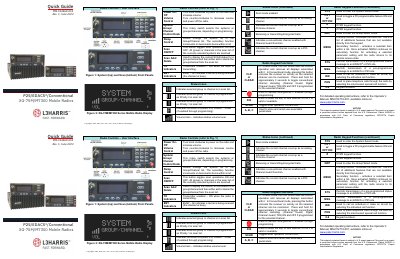
L3Harris XG-75M/M7300 Series Mobile Radios Quick Guide
This document serves as a quick reference guide for the L3Harris XG-75M/M7300 Series Mobile Radios. It details the user interface, including power controls, volume adjustment, channel selection, and the functions of various buttons such as SCAN, ADD/DELETE, and MENU.
Read onlineL3Harris XG-75M specifications
| Maximum standard profiles | 16 |
|---|---|
| Talk groups per profile | 16 |
| Export rating | EAR99 |
Source: L3Harris OpenSky XG-75M/M7300 Mobile Radio Quick Guide
All L3Harris XG-75M documents by type
The shortest path to a working setup, usually only a few pages.
Questions answered in these manuals
How do you turn on the radio?
Turn the POWER ON/OFF/VOLUME knob clockwise to power on the radio.
From: L3Harris XG-75M/M7300 Series Mobile Radios Quick Guide
How do you declare an emergency?
Press and hold the emergency button for approximately one second.
From: L3Harris XG-75M/M7300 Series Mobile Radios Quick Guide
How do you activate Stealth Mode?
Scroll through the menu until “StealthMenu” appears, then press up or down to turn Stealth Mode on or off.
From: L3Harris OpenSky XG-75M/M7300 Mobile Radio Quick Guide
How many profiles can the radio store?
The radio can store up to sixteen standard profiles.
From: L3Harris OpenSky XG-75M/M7300 Mobile Radio Quick Guide