
Key facts
- Brand
- KYORITSU
- Model
- 1051/1052
- Category
- multimeter
- Industry
- Electronics
- Documents
- 2
- Languages
- ZH · EN
- Last added
- 2026-10-14
Start here
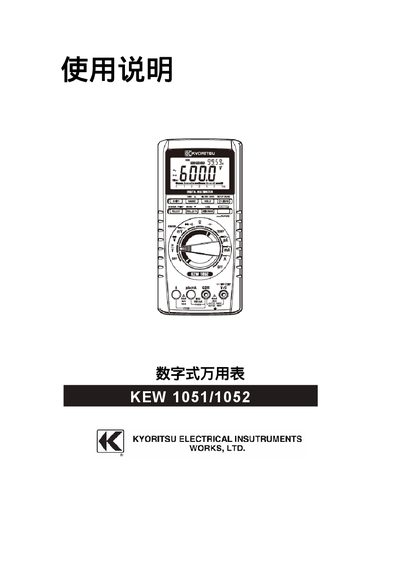
KYORITSU KEW1051/1052 Digital Multimeter User Manual
User Manual 16 pages · 867 KB · EN
This manual introduces the KEW1051/1052 digital multimeter, covering safety precautions, power‑on procedures, and the functions of the LCD display. It explains how to select measurement ranges, use MIN/MAX/AVG features, and interpret measurement results.
The document also lists the instrument's electrical specifications, such as voltage and current ranges, and provides basic troubleshooting tips and maintenance recommendations.
KYORITSU 1051/1052 specifications
| Display | 4-digit LCD, max 6000 counts |
|---|---|
| Test Functions | DC/AC Voltage, Current, Resistance, Frequency, Temperature, Capacitance, Diode, Continuity |
| Safety Rating (CAT) | CAT.II (1000V), CAT.IV (600V) |
| Power Supply | 4 x LR6 (AA) 1.5V batteries |
| Dimensions | Approx. 192(L) x 90(W) x 49(D) mm |
| Weight | Approx. 560g (with batteries) |
All KYORITSU 1051/1052 documents by type
User Manual 2
Day-to-day operation, settings and troubleshooting. Start here if the product is already set up.
Questions answered in these manuals
What is the maximum input voltage for CAT.II and CAT.IV ratings?
The maximum input voltage is AC/DC 1000V for CAT.II and AC/DC 600V for CAT.IV.
Which models support MIN/MAX/AVG and memory functions?
These advanced features are available on the KEW 1052 model.
How do I turn the multimeter on?
Press the power button as described in the "POWER ON" section of the manual.