
Key facts
- Brand
- IBM
- Model
- SV620000
- Documents
- 102
- Languages
- EN · FR · ES · JA
- Last added
- 2023-12-03
Start here
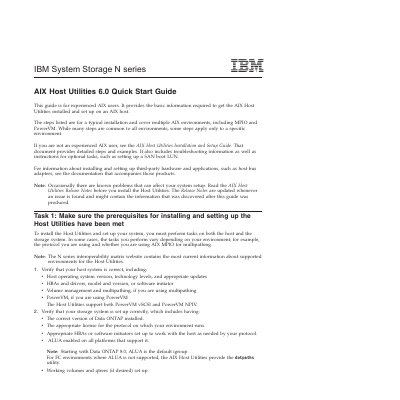
IBM System Storage N series SV610000/SV620000/SV630000 AIX Host Utilities 6.0 Quick Start Guide
This IBM quick start guide is written for experienced AIX users and gives the basic steps needed to install and set up AIX Host Utilities 6.0 on an AIX host. The steps cover a typical installation across multiple AIX environments, including AIX MPIO and PowerVM, and the guide points to the AIX Host Utilities Installation and Setup Guide, the Release Notes and the SAN Configuration Guide for further detail.
The guide is organized into three tasks: checking host and storage system prerequisites, installing the Host Utilities and SAN Toolkit software packages as root, and setting up access between the host and the LUNs on the storage system. It lists the commands used in each environment, such as cfgmgr, cfgdev, lsdev, chdev, igroup show and sanlun, and ends with IBM N series web pages for support and documentation.
IBM SV620000 specifications
| Ethernet interfaces | 10/100/1000 TX (Copper), SX (Multi-mode) and LX (Single-mode) |
|---|---|
| Interface segments | Four independent gigabit Ethernet |
| Power supplies | Redundant |
| Default management IP | 192.168.0.111 |
| Compliance | RoHS |
Source: IBM SV610000/SV620000/SV630000 Network Active Bypass User Guide
All IBM SV620000 documents by type
Day-to-day operation, settings and troubleshooting. Start here if the product is already set up.
- IBM SV610000/SV620000/SV630000 Network Active Bypass User Guide 43 p
- IBM System z Input/Output Configuration Program User's Guide 312 p
- IBM Firewall for AIX User's Guide Version 3.1.1 GC31-8419-00 194 p
- IBM WebSphere Adapter for Oracle E-Business Suite SV610000/SV620000/SV630000 User Guide 226 p
- IBM System Storage Support for Microsoft Volume Shadow Copy Service and Virtual Disk Service 4.5.0 User Guide 45 p
- IBM Power Systems Managing PCI Adapters SV610000/SV620000/SV630000 284 p
- IBM Power Systems SV610000/SV620000/SV630000 SAS RAID Controllers for IBM i User Manual 80 p
- IBM Power Systems SAS RAID Controllers for AIX SV610000/SV620000/SV630000 User Manual 152 p
- IBM Power Systems SV610000 SV620000 SV630000 SAS RAID Controllers for Linux User Manual 108 p
- IBM SV610000/SV620000/SV630000 iSCSI Host Bus Adapter for BladeCenter, System x, or xSeries User Guide 60 p
- IBM BladeCenter Open Fabric Manager SV610000/SV620000/SV630000 Installation and User's Guide 80 p
- IBM SV610000/SV620000/SV630000 Network Intrusion Prevention System User Guide 89 p
- IBM eServer zSeries 990 OSA-Express Adapter Customer's Guide and Reference 298 p
- IBM SV610000/SV620000/SV630000 Hardware Management Console Operations Guide 98 p
- IBM z/OS DFSMShsm Storage Administration Guide SC35-0421-04 714 p
- IBM System Storage N series OnCommand Provisioning and Data Protection Management Guide to Common Workflows for Administrators For Use with Core Package 5.0 GA32-1017-00 189 p
- IBM SV610000/SV620000/SV630000 Power Systems Upgrading the system and data migration 78 p
- IBM Power Systems PCI Adapters SV610000/SV620000/SV630000 User Guide 354 p
- IBM SV610000/SV620000/SV630000 Subsystem Device Driver Installation and User's Guide 152 p
- IBM System Storage N series /SV610000/SV620000/SV630000 Recommended Host Settings for Linux Host Utilities 19 p
- IBM SV610000/SV620000/SV630000 SQL Reference Manual 1202 p
- IBM Integrated Management Module User's Guide 176 p
- IBM Power Systems SV610000/SV620000/SV630000 Servers HPC InfiniBand Clustering Guide 230 p
- IBM System i and System p SV610000/SV620000/SV630000 Customer Service, Support, and Troubleshooting Guide 476 p
- IBM TotalStorage SAN Volume Controller Configuration Guide Supplement (VSS) Version 2.1.0 23 p
- IBM Security Access Manager for Web 7.0 Security Web Gateway Appliance Administration Guide SC22-5432-00 344 p
- IBM System x GPFS Storage Server Installation, User's, and Maintenance Guide 140 p
- IBM SAS2 BIOS Configuration Utility SV610000/SV620000/SV630000 User's Guide 36 p
- IBM Subsystem Device Driver Installation and User's Guide 112 p
- IBM Switch Network Interface for eServer pSeries High Performance Switch Guide and Reference 44 p
- z/OS DFSMS Object Access Method Planning, Installation, and Storage Administration Guide for Tape Libraries SC35-0427-04 380 p
- IBM z/OS Cryptographic Services ICSF Trusted Key Entry PCIX Workstation User's Guide 438 p
- IBM WebSphere TCP/IP Adapter User Guide 84 p
- IBM System i and System p Initial Server Setup SV610000/SV620000/SV630000 84 p
- IBM SV610000/SV620000/SV630000 Network IPS and SiteProtector Management FIPS Implementation Guide 35 p
- IBM Security Network Intrusion Prevention System SV610000/SV620000/SV630000 User Guide 75 p
- IBM Power Systems SV610000/SV620000/SV630000 Servers Control Panel Functions Manual 44 p
- IBM UpdateXpress System Pack Installer User's Guide Version 9.30 for SV610000/SV620000/SV630000 98 p
- IBM FileNet Image Services Version 4.2 System Tools Reference Manual 1455 p
- IBM TotalStorage SAN Volume Controller SV610000 SV620000 SV630000 Host Attachment User's Guide 157 p
- System z10 Open Systems Adapter-Express3 Integrated Console Controller Dual-Port User's Guide 98 p
- IBM SAN Volume Controller and Storwize V7000 Command-Line Interface User's Guide 548 p
- IBM SV610000/SV620000/SV630000 Dynamic Systems Analysis Installation and User's Guide Version 2.20 60 p
- IBM z/OS Cryptographic Services ICSF Trusted Key Entry PCIX Workstation User's Guide 434 p
- IBM Tivoli Provisioning Manager for Images Version 7.1.1.9 Reference Guide 118 p
- IBM Branch Transformation Toolkit for WebSphere Studio Migration Guide 33 p
- IBM Endpoint Manager for Mobile Devices SV610000/SV620000/SV630000 Setup Guide 56 p
- IBM Endpoint Manager for Remote Control Console User's Guide 92 p
- IBM Power Systems SV610000/SV620000/SV630000 SAS RAID Controllers for Linux User Manual 152 p
- IBM BladeCenter Advanced Management Module and BladeCenter T Advanced Management Module User's Guide 218 p
- IBM Security Network Active Bypass SV610000 SV620000 SV630000 User Guide 53 p
- IBM Security Web Gateway Appliance Version 7.0 Configuration Guide for Web Reverse Proxy SC22-5433-01 720 p
- IBM Sterling Connect:Direct for UNIX User Guide Version 4.1 96 p
Disassembly, diagnostics and part numbers, for repair.
- IBM Power Systems SV610000/SV620000/SV630000 Isolation Procedures 496 p
- IBM System Storage SAN Volume Controller SV610000/SV620000/SV630000 Hardware Maintenance Guide 389 p
- IBM System Storage SAN Volume Controller Hardware Maintenance Guide 367 p
- IBM Flex System p260 p460 Compute Nodes Installation and Service Guide 546 p
- IBM Power Systems Memory Modules Service Manual 164 p
- IBM Power Systems SV610000/SV620000/SV630000 Voltage Regulators Service Manual 90 p
- IBM System Storage SAN Volume Controller Hardware Maintenance Guide 370 p
- IBM System i and System p Service Provider Information 156 p
- IBM Power Systems Serial-attached SCSI RAID Enablement and Cache Battery Pack Manual 84 p
- IBM Power Systems Disk Drives SV610000/SV620000/SV630000 Service Manual 256 p
- IBM SV610000/SV620000/SV630000 Media Devices Service Manual 164 p
- IBM SV610000/SV620000/SV630000 Disk Drive Installation and Replacement Guide 252 p
- IBM System i and System p SV610000/SV620000/SV630000 Memory Modules Service Manual 170 p
- IBM System i and System p Service Provider Information: Resolving Problems and Verifying the Repair 590 p
- IBM SV610000/SV620000/SV630000 ISPF Services Guide 453 p
- IBM SV610000/SV620000/SV630000 Power Systems Concurrent Maintenance Manual 48 p
- IBM Host Ethernet Adapters SV610000/SV620000/SV630000 Service Manual 66 p
- IBM Power Systems System Processor Assembly Installation and Removal Guide 88 p
- IBM System i and System p Remote I/O (HSL) or GX Dual-port 4x HCA Adapter Service Manual 112 p
Mounting, wiring and first power-up. Read it before the hardware goes in.
- IBM System Storage N series Clustered Data ONTAP 8.2 High-Availability Configuration Guide 108 p
- IBM BladeCenter H Type 8852 High-Efficiency Blowers Option Installation Guide 30 p
- IBM Cúram Social Program Management Deployment Guide for WebLogic Server Version 6.0.5 44 p
- IBM Cúram Social Program Management v6.0.3 UNIX Third-Party Tools Installation Guide 30 p
- IBM System Storage DS4000 FC 4Gbps PCI-X Single/Dual Port HBA Installation and User's Guide 82 p
- IBM BladeCenter Copper Pass-thru Module Installation Guide SV610000/SV620000/SV630000 58 p
- IBM TotalStorage SFP Module Option SV610000/SV620000/SV630000 Installation Guide 62 p
- IBM z/OS DFSMShsm Implementation and Customization Guide Version 2 Release 2 435 p
- IBM System Storage SAN Volume Controller Software Version 4.3.0 Installation and Configuration Guide 493 p
- IBM TotalStorage SAN Volume Controller Installation Guide 121 p
- IBM Power Systems Rack SV610000/SV620000/SV630000 Installation Guide 180 p
- IBM Layer 2/3 GbE Switch Module Installation Guide 62 p
- IBM Security Network IPS and SiteProtector FIPS Implementation Guide SV610000/SV620000/SV630000 35 p
- IBM SV610000/SV620000/SV630000 1U C19 and C13 Switched and Monitored PDUs Installation and Maintenance Guide 88 p
- IBM System z9 Enterprise Class Installation Guide 227 p
Instruction set, parameters and examples for configuring or programming the device.
- IBM WebSphere Commerce Store Development Guide Version 5.5 496 p
- IBM Content Manager OnDemand SV610000/SV620000/SV630000 Windows Client Customization Guide SC19-3357-00 286 p
- IBM SV610000/SV620000/SV630000 Text-to-Speech SSML Programming Guide 36 p
- IBM SiteProtector System SV610000/SV620000/SV630000 Two-Factor Authentication API Programming Manual 20 p
- IBM Tivoli NetView for z/OS RODM and GMFHS Programmer's Guide 720 p
- IBM SV610000/SV620000/SV630000 SAN Volume Controller CIM Agent Developer's Guide 82 p
- IBM Sterling Gentran:Server for Windows Script Language Reference Guide V5.3.1 82 p
The shortest path to a working setup, usually only a few pages.
Questions answered in these manuals
What is the default IP address for the management port?
The default IP address for the management port is 192.168.0.111.
From: IBM SV610000/SV620000/SV630000 Network Active Bypass User Guide
What happens to network traffic if the appliance loses power?
Two optical switches remove the unit from the network and it functions as two straight cables.
From: IBM SV610000/SV620000/SV630000 Network Active Bypass User Guide
Which IBM Power Systems servers does this manual cover?
This edition applies to IBM Power Systems servers that contain the POWER7 processor and to all associated models.
From: IBM Power Systems SV610000/SV620000/SV630000 Isolation Procedures
What safety documents should be read before using this manual?
Read the "Safety notices" and "Notices" sections, the IBM Systems Safety Notices manual G229-9054, and the IBM Environmental Notices and User Guide Z125-5823.
From: IBM Power Systems SV610000/SV620000/SV630000 Isolation Procedures
What is an HA pair in the context of IBM N series?
An HA pair is a configuration that supports nondisruptive operations and fault tolerance to improve system reliability.
From: IBM System Storage N series Clustered Data ONTAP 8.2 High-Availability Configuration Guide
Which disk shelves are managed in an HA pair configuration?
The system manages EXN1000, EXN2000, or EXN4000 unit disk shelves.
From: IBM System Storage N series Clustered Data ONTAP 8.2 High-Availability Configuration Guide