
Key facts
Start here
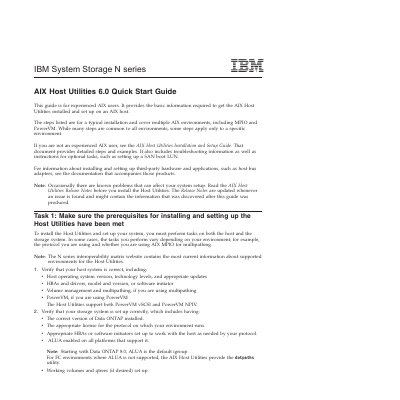
IBM System Storage N series SV610000/SV620000/SV630000 AIX Host Utilities 6.0 Quick Start Guide
This IBM quick start guide is written for experienced AIX users and gives the basic steps needed to install and set up AIX Host Utilities 6.0 on an AIX host. The steps cover a typical installation across multiple AIX environments, including AIX MPIO and PowerVM, and the guide points to the AIX Host Utilities Installation and Setup Guide, the Release Notes and the SAN Configuration Guide for further detail.
The guide is organized into three tasks: checking host and storage system prerequisites, installing the Host Utilities and SAN Toolkit software packages as root, and setting up access between the host and the LUNs on the storage system. It lists the commands used in each environment, such as cfgmgr, cfgdev, lsdev, chdev, igroup show and sanlun, and ends with IBM N series web pages for support and documentation.
IBM System Storage N series (SV610000 specifications
| Required login for installation | root |
|---|---|
| Supported PowerVM environments | PowerVM vSCSI and PowerVM NPIV |
| AIX Fast I/O Failure parameter | fc_err_recov=fast_fail |
| Default igroup starting with Data ONTAP 8.0 | ALUA |
Source: IBM System Storage N series SV610000/SV620000/SV630000 AIX Host Utilities 6.0 Quick Start Guide
All IBM System Storage N series (SV610000 documents by type
Mounting, wiring and first power-up. Read it before the hardware goes in.
Day-to-day operation, settings and troubleshooting. Start here if the product is already set up.
The shortest path to a working setup, usually only a few pages.
Questions answered in these manuals
What is an HA pair in the context of IBM N series?
An HA pair is a configuration that supports nondisruptive operations and fault tolerance to improve system reliability.
From: IBM System Storage N series Clustered Data ONTAP 8.2 High-Availability Configuration Guide
Which disk shelves are managed in an HA pair configuration?
The system manages EXN1000, EXN2000, or EXN4000 unit disk shelves.
From: IBM System Storage N series Clustered Data ONTAP 8.2 High-Availability Configuration Guide
What is the recommended value for user_friendly_names in Red Hat Enterprise Linux?
The recommended value is 'no', which forces the host and target to use the WWID for naming DM-Multipath devices.
What value is recommended for user_friendly_names in the multipath.conf default section?
Set user_friendly_names to no.
What should be read before installing the Host Utilities?
The guide says to read the AIX Host Utilities Release Notes before you install the Host Utilities, because they are updated whenever an issue is found.
From: IBM System Storage N series SV610000/SV620000/SV630000 AIX Host Utilities 6.0 Quick Start Guide
Which login is required to install or uninstall the Host Utilities?
You must be logged on as root to install or uninstall the Host Utilities.
From: IBM System Storage N series SV610000/SV620000/SV630000 AIX Host Utilities 6.0 Quick Start Guide