
Key facts
- Brand
- IBM
- Model
- Maximo for Aviation 7.6.2
- Documents
- 2
- Languages
- EN
- Last added
- 2023-12-03
Start here
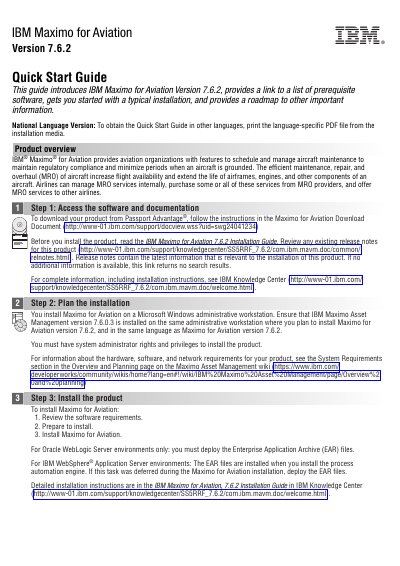
IBM Maximo for Aviation 7.6.2 Quick Start Guide
This IBM Quick Start Guide introduces IBM Maximo for Aviation Version 7.6.2. The product gives aviation organizations features to schedule and manage aircraft maintenance so they can maintain regulatory compliance and minimize periods when an aircraft is grounded. Efficient maintenance, repair, and overhaul (MRO) of aircraft increase flight availability and extend the life of airframes, engines, and other components. Airlines can manage MRO services internally, purchase some or all of these services from MRO providers, and offer MRO services to other airlines.
The guide walks through three steps: accessing the software and documentation, planning the installation, and installing the product. Maximo for Aviation is installed on a Microsoft Windows administrative workstation, and IBM Maximo Asset Management version 7.6.0.3 must be installed on the same workstation in the same language. System administrator rights and privileges are required. The guide also points to the Installation Guide, release notes, IBM Knowledge Center, product support, and IBM User Communities.
IBM Maximo for Aviation 7.6.2 specifications
| Product version | 7.6.2 |
|---|---|
| Deployed middleware | IBM DB2 and IBM WebSphere Application Server Network Deployment |
| BDI service runtime | Oracle Java Runtime Environment 6 or later |
| Mobile apps prerequisite | IBM Maximo Anywhere 7.5.2 or later |
| Multitenancy compatibility | Maximo Asset Management Multitenancy 7.6.0.3 |
Source: IBM Maximo for Aviation V7 R6 (7.6.2) Software Installation Guide
All IBM Maximo for Aviation 7.6.2 documents by type
Mounting, wiring and first power-up. Read it before the hardware goes in.
The shortest path to a working setup, usually only a few pages.
Questions answered in these manuals
What version of IBM Maximo Anywhere is required before installing the mobile apps?
The guide requires IBM Maximo Anywhere 7.5.2 or a later version before installing the mobile apps.
From: IBM Maximo for Aviation V7 R6 (7.6.2) Software Installation Guide
What Java runtime does the build data interpreter service require?
The BDI service requires Oracle Java Runtime Environment 6 or a later version.
From: IBM Maximo for Aviation V7 R6 (7.6.2) Software Installation Guide
What version of IBM Maximo Asset Management is required?
IBM Maximo Asset Management version 7.6.0.3 must be installed on the same administrative workstation and in the same language as Maximo for Aviation version 7.6.2.
On what platform is Maximo for Aviation installed?
It is installed on a Microsoft Windows administrative workstation.