
Key facts
- Brand
- IBM
- Model
- AIX Version 7.1
- Category
- Other software
- Documents
- 3
- Languages
- EN
- Last added
- 2023-11-29
Start here
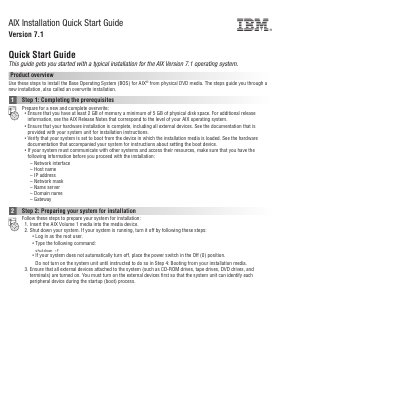
IBM AIX Version 7.1 Operating System Installation Quick Start Guide
This quick start guide from IBM walks through a typical new installation, also called an overwrite installation, of the Base Operating System (BOS) for AIX Version 7.1 from physical DVD media. It is organized as numbered steps, from completing the prerequisites through finishing the BOS installation.
The steps cover checking memory and disk requirements, preparing the system and external devices, setting up an ASCII terminal, booting from the installation media, verifying or changing installation settings and the primary language environment, and confirming the settings before the BOS installation begins. A closing section points to the AIX Release Notes, readme files and the IBM AIX 7.1 Information Center for more information.
IBM AIX Version 7.1 specifications
| Minimum memory | At least 2 GB |
|---|---|
| Minimum physical disk space | 5 GB |
| Installation media | Physical DVD media (AIX Volume 1) |
| Terminal line speed (baud rate) | 9600 |
| Terminal word length | 8 bits per character |
| Terminal parity | No (none) |
| Terminal number of stop bits | 1 |
| Terminal interface | RS-232C (or RS-422A) |
Source: IBM AIX Version 7.1 Operating System Installation Quick Start Guide
All IBM AIX Version 7.1 documents by type
The shortest path to a working setup, usually only a few pages.
Mounting, wiring and first power-up. Read it before the hardware goes in.
Day-to-day operation, settings and troubleshooting. Start here if the product is already set up.
Questions answered in these manuals
What are the minimum requirements for installing AIX Version 7.1?
You need at least 2 GB of memory and a minimum of 5 GB of physical disk space.
From: IBM AIX Version 7.1 Operating System Installation Quick Start Guide
How do I boot the system from the AIX installation media?
Turn on the system unit power switch, and when the system beeps twice, press 5 on your ASCII terminal.
From: IBM AIX Version 7.1 Operating System Installation Quick Start Guide
What does this guide cover?
It contains installation and configuration instructions for the IBM Tivoli Storage Manager server, server languages, and other Tivoli Storage Manager components, including the Operations Center.
From: IBM Tivoli Storage Manager for AIX Version 7.1 Installation Guide
Who should read this guide?
It is intended for system administrators installing and configuring a Version 7.1 Tivoli Storage Manager server or the Operations Center, or upgrading from Tivoli Storage Manager Version 6.
From: IBM Tivoli Storage Manager for AIX Version 7.1 Installation Guide
What version of IBM Tivoli Storage Manager does this edition apply to?
It applies to version 7, release 1, modification 1 of IBM Tivoli Storage Manager.
From: IBM Tivoli Storage Manager for AIX Version 7.1.1 Administrator's Guide
What product numbers are listed for IBM Tivoli Storage Manager Version 7.1.1?
The listed product numbers are 5608-E01, 5608-E02, and 5608-E03.
From: IBM Tivoli Storage Manager for AIX Version 7.1.1 Administrator's Guide