
Key facts
- Brand
- HMS Networks
- Model
- CAN@net NT 100
- Category
- Other network devices
- Documents
- 2
- Languages
- EN
- Last added
- 2023-11-10
Start here
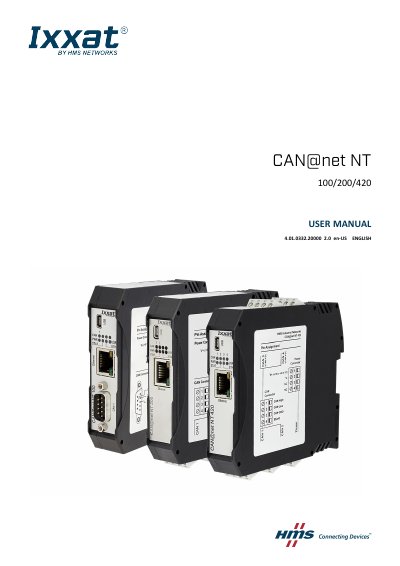
HMS Networks CAN@net NT 100/200/420 User Manual
The CAN@net NT 100/200/420 is a gateway device designed to connect computer systems to CAN and CAN FD networks. It supports various operational modes, including Bridge and Gateway modes, and can be configured via USB or Ethernet connections using the CAN-Gateway Configurator tool or ASCII commands. The device features message filtering based on CAN identifiers and supports high-speed CAN according to ISO 11898-2:2016.
Read onlineHMS Networks CAN@net NT 100 specifications
| CAN connections (CAN@net NT 100) | 1 x CAN (D-Sub 9) |
|---|---|
| CAN connections (CAN@net NT 200) | 2 x CAN (terminal adapters) |
| CAN connections (CAN@net NT 420) | 4 x CAN (terminal adapters) |
| Ethernet port | 1 x RJ45, 10/100 Mbit/s |
| USB port | 1 x mini USB 2.0, high-speed |
| CAN/CAN FD standard | ISO 11898-1:2015 |
| CAN high-speed standard | ISO 11898-2:2016 |
Source: HMS Networks CAN@net NT 100/200/420 CAN/Ethernet Gateway User Manual
All HMS Networks CAN@net NT 100 documents by type
Day-to-day operation, settings and troubleshooting. Start here if the product is already set up.
Questions answered in these manuals
What is the default configuration of the CAN@net NT?
By default, the CAN@net NT is configured as a VCI interface and can be used as a PC interface with Windows.
From: HMS Networks CAN@net NT 100/200/420 CAN/Ethernet Gateway User Manual
Which CAN@net NT model is capable of CAN FD?
The CAN@net NT 420 is additionally capable of CAN FD.
From: HMS Networks CAN@net NT 100/200/420 CAN/Ethernet Gateway User Manual
What is the default configuration of the CAN@net NT?
By default, the CAN@net NT is configured as a VCI interface and can be used as a PC interface with Windows.
How can the CAN@net NT be configured?
The device can be configured via USB or Ethernet connections using the CAN-Gateway Configurator or ASCII commands.