
Key facts
- Brand
- FTDI
- Model
- FT232RL
- Category
- Converter
- Industry
- Electronics
- Documents
- 2
- Languages
- EN
- Last added
- 2026-11-10
Start here
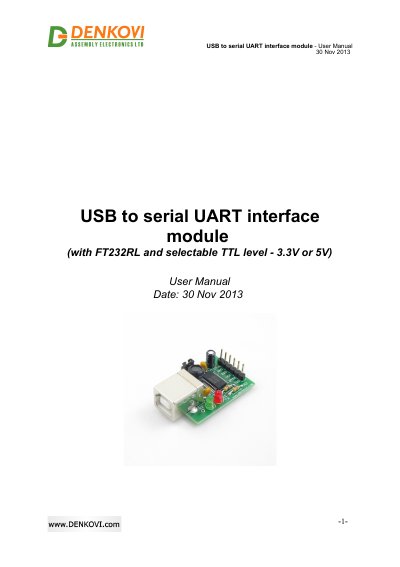
FTDI FT232RL USB to Serial UART Interface Module User Manual
This six-page manual describes a USB to serial UART interface module built around the FT232RL chipset. The module converts between a computer USB port and a serial UART with TTL level of 3.3 V or 5 V, selected with a jumper, and it appears on the computer as a Virtual Com Port (VCP). It has a USB port, Rx and Tx LEDs, and the lines mapped are CTS, GND, RXD, VCC, RTS and TXD. The board measures 41 mm x 25 mm x 14 mm.
The document lists application examples such as upgrading legacy peripherals to USB, interfacing MCU/PLD/FPGA designs to USB, USB smart card readers, instrumentation and industrial control. Installation is covered in three steps: install the FTDI VCP drivers (a download link to the FTDI website is given, with driver availability listed for Windows, Linux, Mac OS and other systems), swap the Rx and Tx lines when connecting to the target, then plug the converter into the computer and confirm that it appears as a virtual com port. Links to FTDI installation guides are included.
FTDI FT232RL specifications
| Chipset | FT232RL |
|---|---|
| Interface | Computer USB port to serial UART (TTL) |
| TTL level | Selectable 3.3 V or 5 V via jumper |
| Mapped lines | CTS, GND, RXD, VCC, RTS, TXD |
| Indicators | Rx and Tx LED |
| Size | 41 mm x 25 mm x 14 mm |
| Operating mode on host | Virtual Com Port (VCP) |
Source: FTDI FT232RL USB to Serial UART Interface Module User Manual
All FTDI FT232RL documents by type
Day-to-day operation, settings and troubleshooting. Start here if the product is already set up.
Ratings, dimensions and ordering codes, for selection and design work.
Questions answered in these manuals
What drivers do I need to install before using the module?
You must install the FTDI VCP drivers first; the manual points to the FTDI website download page for them.
From: FTDI FT232RL USB to Serial UART Interface Module User Manual
Which operating systems are the drivers available for?
The features page lists Windows, Linux and Mac, and the installation step additionally lists Windows CE.NET (version 4.2 and greater) and Android.
From: FTDI FT232RL USB to Serial UART Interface Module User Manual
What is the FTDIChip‑ID feature?
Each FT232RL device is programmed with a unique serial number (FTDIChip‑ID) that can be read over USB and used as a security dongle to protect software.
How many configurable CBUS pins does the module provide?
The module offers five configurable CBUS I/O pins that can be set for functions such as LED indicators, power control, or clock output.