
Key facts
- Brand
- Focusrite
- Model
- Scarlett 2i2
- Category
- Sound Card
- Industry
- Electronics
- Documents
- 3
- Languages
- ES · EN
- Last added
- 2026-11-17
Start here
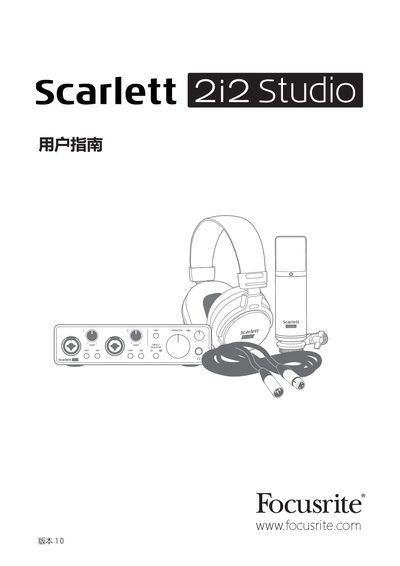
Focusrite Scarlett 2i2 Studio Audio Interface User Manual
This guide introduces the Scarlett 2i2 Studio bundle, which includes the third‑generation Scarlett 2i2 audio interface, the CM25 MkIII condenser microphone, the HP60 MkIII headphones, and all required cables and software. It explains the product’s purpose, key features, and what is included in the packaging.\n\nThe manual covers system requirements, quick‑start installation, detailed hardware functions, software configuration, audio specifications, and a troubleshooting section. It also provides instructions for connecting microphones, instruments, headphones, and speakers, as well as using direct monitoring and the AIR feature.
Read onlineFocusrite Scarlett 2i2 specifications
| Supported Sample Rates | 44.1 kHz, 48 kHz, 88.2 kHz, 96 kHz, 176.4 kHz, 192 kHz |
|---|---|
| Microphone Input Dynamic Range | 111 dB (A‑weighted) |
| Frequency Response | 20 Hz – 20 kHz ±0.1 dB |
| Total Harmonic Distortion + Noise (Mic Input) | <0.0012 % |
| Input Impedance (Mic) | 3 kΩ |
| Physical Dimensions | 175 mm × 47.5 mm × 99 mm |
| Weight | 470 g |
Source: Focusrite Scarlett 2i2 Studio Audio Interface User Manual
All Focusrite Scarlett 2i2 documents by type
Day-to-day operation, settings and troubleshooting. Start here if the product is already set up.
Questions answered in these manuals
What USB ports can I connect the Scarlett 2i2 to?
It should only be connected to USB 1.0, 1.1, or 2.0 ports.
Should I install the software before connecting the Scarlett 2i2?
Yes. The guide says to run the installer before connecting the Scarlett 2i2 to the computer.
What are the system requirements for using the Scarlett 2i2 Studio?
The interface works with macOS and Windows computers that support USB 2.0 or higher; specific OS versions can be checked on the Focusrite online OS checker.
From: Focusrite Scarlett 2i2 Studio Audio Interface User Manual
How can I exit MSD mode without registering the device?
Connect the Scarlett 2i2 to the computer and press the 48 V button for five seconds; this forces the unit out of MSD mode, after which full functionality is available.
From: Focusrite Scarlett 2i2 Studio Audio Interface User Manual
¿Qué incluye la caja del Scarlett 2i2 Studio?
Incluye la interfaz Scarlett 2i2 (3a Gen.), el micrófono condenser Scarlett Studio CM25 MkIII con clip, los auriculares Scarlett Studio HP60 MkIII, un cable de micrófono XLR de 3 m, un cable USB Tipo A a Tipo C, la guía de introducción y la información de seguridad.
From: Focusrite Scarlett 2i2 Studio 3rd Gen Audio Interface User Guide
¿Necesito instalar un controlador si uso Mac?
No. Las interfaces Scarlett de tercera generación son compatibles con clase en macOS y funcionan plug-and-play, sin necesidad de instalar un controlador.
From: Focusrite Scarlett 2i2 Studio 3rd Gen Audio Interface User Guide