
Key facts
- Brand
- ExStik
- Model
- EC500
- Category
- Other Electronics
- Documents
- 2
- Languages
- EN · ZH
- Last added
- 2023-10-18
Start here
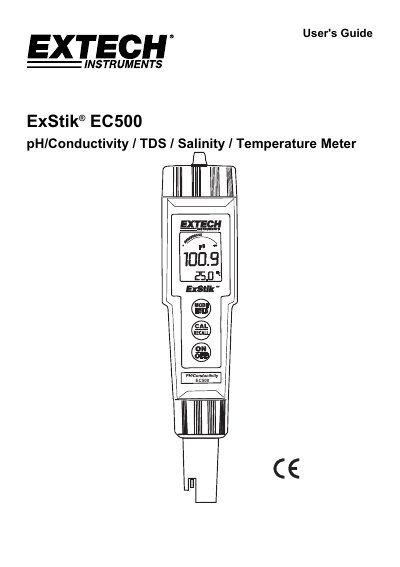
ExStik EC500 pH/Conductivity/TDS/Salinity Meter User's Guide
The ExStik EC500 is a handheld meter designed to measure pH, Conductivity, Total Dissolved Solids (TDS), and Salinity using a single electrode with dynamic cell-constant technology. The device operates on four CR2032 Lithium Ion Batteries and features an LCD display with indicators for battery status, measurement mode, and calibration reminders.
Read onlineExStik EC500 specifications
| Power Source | four (4) CR2032 Lithium Ion Batteries |
|---|---|
| Auto Power Off | 10 minutes of inactivity |
| TDS Compensation Ratio Range | 0.4 to 1.0 |
| Salinity Mode Ratio | 0.5 |
| Max Stored Readings | 25 |
| pH Calibration Points | 1, 2, or 3 points |
| Renew Indicator Threshold | 70% of a nominal slope |
Source: ExStik EC500 pH/Conductivity/TDS/Salinity Meter User's Guide
All ExStik EC500 documents by type
Day-to-day operation, settings and troubleshooting. Start here if the product is already set up.
Questions answered in these manuals
How do I change the measurement mode on the ExStik EC500?
Press and hold the MODE/HOLD button for 2 seconds until the display scrolls through the units (Conductivity, pH, TDS, Salinity), then release when the desired unit is displayed.
From: ExStik EC500 pH/Conductivity/TDS/Salinity Meter User's Guide
What does the 'RENEW' indicator mean?
A flashing 'RENEW' warning indicates that the probe is not performing to expected specifications, likely because the pH electrode slope has fallen below 70% of a nominal slope.
From: ExStik EC500 pH/Conductivity/TDS/Salinity Meter User's Guide
How do I change the measurement mode?
Press and hold the Mode/Hold button for 2 seconds until the display scrolls through units, then release when the desired unit is shown.
From: ExStik EC500 pH/Conductivity/TDS/Salinity Meter User Manual
How do I store a reading?
Press the Mode/Hold button to freeze the reading; the display will show 'HOLD' and the stored location number.
From: ExStik EC500 pH/Conductivity/TDS/Salinity Meter User Manual