
Key facts
Start here
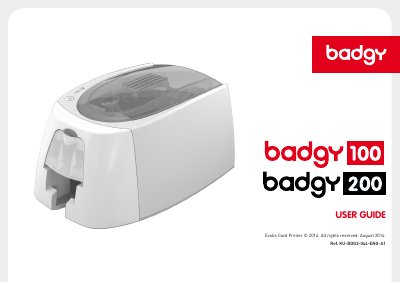
Evolis Badgy100/Badgy200 Card Printer User Guide
This user guide provides step-by-step instructions for the Evolis Badgy100 and Badgy200 card printers. It covers unpacking, installation, and the use of consumables such as ribbons and cards. The manual details how to connect the power supply and USB cable, load the ribbon and card feeder, and operate the control panel.
Read onlineEvolis Badgy200 specifications
| Printing mode | Color sublimation and monochrome thermal transfer |
|---|---|
| Print head resolution | 300 dpi |
| RAM | 16 MB |
| Card feeder capacity | 25 cards (0.76 mm) / 40 cards (0.5 mm) |
| Output hopper capacity | 25 cards (0.76 mm) / 40 cards (0.5 mm) |
| Card thickness | 0.5 to 0.76 mm (20 to 30 mil) |
| Card format | ISO CR80 – ISO 7810 (53.98 mm x 85.60 mm) |
| YMCKO color print speed | 45 s per card (80 cards an hour) |
| Monochrome print speed | 16 s per card (180 cards an hour) |
| Connectivity | USB 1.1 (2.0 and 3.0 compatible) |
| Warranty | 1 year |
All Evolis Badgy200 documents by type
Day-to-day operation, settings and troubleshooting. Start here if the product is already set up.
Questions answered in these manuals
What is the warranty period for the printer?
The printer and print head come with a 1-year warranty.
Can I use ribbons from other suppliers?
No, ribbons from other suppliers are not compatible and may damage the printer or void the warranty.
What accessories come with the printer?
The printer includes a power supply unit, mains power cable, USB cable, installation CD-ROM with software and drivers, and a consumables kit with a color ribbon and PVC cards.
Can I use ribbons from other suppliers?
No, using non-Evolis ribbons may damage the printer and void the warranty.