
Key facts
- Brand
- Dell EMC
- Model
- S4100-ON
- Category
- Network Switches
- Industry
- Computers
- Documents
- 2
- Languages
- EN
- Last added
- 2026-11-21
Start here
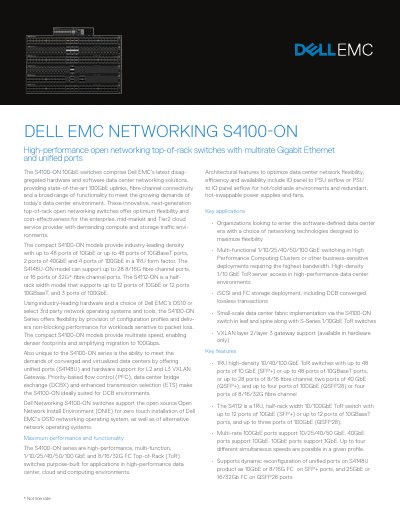
Dell EMC S4100-ON 10GbE Switch Product Leaflet
The Dell EMC S4100-ON series comprises 10GbE top-of-rack open networking switches for data center, cloud, and high-performance computing environments. Models provide up to 48 ports of 10GbE or 10GBaseT, plus 40GbE and 100GbE uplinks, with multirate speeds and, on S4148U-ON, unified fibre channel ports.
The switches support Dell EMC OS10 or select third-party network operating systems and ONIE zero-touch installation. Features include non-blocking cut-through switching, VXLAN gateway hardware support, DCB, redundant hot-swappable power and fans on most models, and IO/PSU airflow options.
Dell EMC S4100-ON specifications
| Form factor | 1RU |
|---|---|
| Fibre channel ports (S4148U-ON) | up to 28 8/16G or 16 32G |
| Switching capacity | up to 1.76Tbps |
| Throughput | up to 1320Mpps |
| Latency | 800 to 2500 ns |
| Maximum power consumption | 180W to 460W |
| Typical operating power | 90W to 320W |
| Weight | 8.30 to 22.37 lbs |
| Max thermal output | 614 to 1568 BTU/hour |
| Max 100GbE density | up to 4 ports |
All Dell EMC S4100-ON documents by type
Mounting, wiring and first power-up. Read it before the hardware goes in.
Questions answered in these manuals
What network operating systems does the S4100-ON support?
It supports Dell EMC OS10 and select third-party network operating systems.
Does the S4100-ON support ONIE?
Yes, it supports ONIE for zero-touch installation of OS10 and alternative network operating systems.
How many power cords does the switch contain?
The equipment contains two power cords, and both must be disconnected before servicing.
From: Dell EMC PowerSwitch S4100–ON Series Installation Guide
What is the maximum ambient temperature for operating the S4100–ON Series switch?
You must operate the product at an ambient temperature not higher than 113°F—45°C.
From: Dell EMC PowerSwitch S4100–ON Series Installation Guide