
Key facts
- Brand
- Bose
- Model
- T8S
- Category
- Other Electronics
- Documents
- 2
- Languages
- ZH · EN
- Last added
- 2026-10-04
Start here
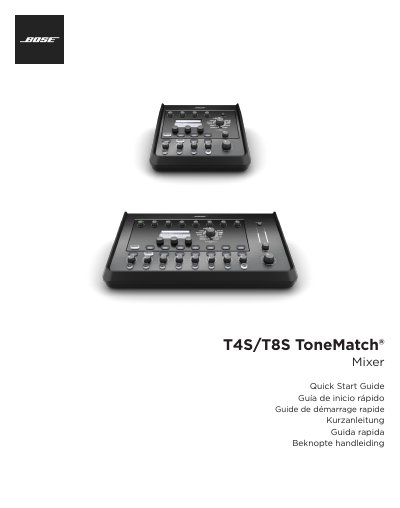
Bose T4S/T8S ToneMatch Mixer Quick Start Guide
Bose T4S and T8S ToneMatch mixers are compact 4- and 8-channel interfaces designed for performers. They use DSP processing for EQ, dynamics and effects, and include ToneMatch processing and zEQ for use with Bose L1 or F1 systems. The mixers have tactile controls, LED displays, scene recall and a protective magnetic cover.
This quick start guide presents the product overview, feature list, unpacking table and T4S control panel. It also includes important safety instructions and regulatory information.
Bose T8S specifications
| T4S dimensions (L×W×H) | 8.4 in × 7.25 in × 3.25 in (214 mm × 184 mm × 83 mm) |
|---|---|
| T4S weight | 2.1 lb (1.0 kg) |
| A/D and D/A converter resolution | 24‑bit |
| Sample rate | 48 kHz |
| USB interface | USB 2.0 (type‑A to type‑B cable) |
| Computer requirements | Windows 7 or later; macOS 10.5 or later |
All Bose T8S documents by type
Day-to-day operation, settings and troubleshooting. Start here if the product is already set up.
The shortest path to a working setup, usually only a few pages.
Questions answered in these manuals
How do I remove and reinstall the protective cover?
To remove, slide the cover forward from the front gap, then lift it off. To reinstall, place the cover on the front and let the magnetic latch close it automatically.
What cleaning method is recommended for the mixer?
Use a dry soft cloth to clean the exterior; do not use solvents, alcohol, ammonia, or abrasive cleaners.
How many channels do the T4S and T8S mixers have?
The T4S has four channels and the T8S has eight.
What does the phantom power switch do on the T4S?
It applies +48V power to Input Channels 1–4.