
Key facts
- Brand
- AIGO
- Model
- T60
- Category
- Headsets
- Industry
- Electronics
- Documents
- 2
- Languages
- EN
- Last added
- 2026-11-10
Start here
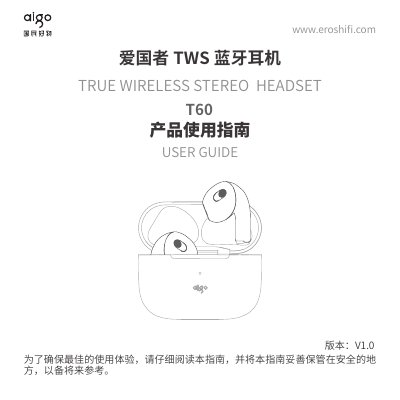
aigo T60 True Wireless Stereo Headset User Guide
This guide explains how to charge, pair, and operate the aigo T60 true wireless stereo headset. It includes safety precautions, battery care, and usage instructions for connecting to devices and controlling playback. The headset uses Bluetooth 5.3 and supports SBC/AAC audio codecs with up to 4 hours of talk time and 4.5 hours of music playback.
Read onlineaigo T60 specifications
| Product | T60 |
|---|---|
| Pairing name | aigo T60 |
| Calling time | 4 hours approximate |
| Music time | 3.5 hours approximate |
| Charge case recharge time | 2 hours approximate |
| Bluetooth version | V5.3 |
| Supported protocols | HSP / HFP / A2DP / AVRCP |
| Sound encoding | SBC/AAC |
| Transmission range | 10 m / Class 2 |
| Earbuds battery | 3.7 V 30 mAh x2 lithium polymer battery |
| Charging case battery | 3.7 V 180 mAh lithium polymer battery |
| Charging input | DC 5 V, 500 mA |
| Speaker | 2 x 13 mm, 32 ohm ±10% |
| Working temperature | -10 C to 40 C |
Source: aigo T60 True Wireless Stereo Bluetooth Headset User Guide
All aigo T60 documents by type
Day-to-day operation, settings and troubleshooting. Start here if the product is already set up.
Questions answered in these manuals
How do I turn the earbuds on and off?
Open the charging case cap and take the earbuds out to turn them on automatically; put them back in the case and close the cap to turn them off automatically.
From: aigo T60 True Wireless Stereo Bluetooth Headset User Guide
How do I pair the earbuds with a phone?
With the earbuds in pairing mode, select “aigo T60” in the mobile Bluetooth menu.
From: aigo T60 True Wireless Stereo Bluetooth Headset User Guide
How do I charge the aigo T60 earbuds?
Charge using a 5V/500mA USB adapter or computer USB port. The charging case indicator lights will show charging status.
How do I pair the earbuds with my phone?
Open the charging case to turn on the earbuds. In Bluetooth settings, select 'aigo T60' to pair. Connection is automatic after pairing.