
Key facts
- Manuals
- 6
- Categories
- 4
- Languages
- ZH
- Last added
- 2012-03-23
Featured AIGO manuals
AIGO PT6116 Multimedia Projector User Manual
The PT6116 is a portable multimedia projector featuring a dual‑core CPU+IPU architecture, a 360 MHz main frequency and a 1024 × 576 TFT display. It supports a wide range of media formats, including video (H.264, MP4, AVI, etc.), audio (MP3, FLAC, AAC, etc.) and images (BMP, JPEG, GIF, PNG), and offers 26 language options for the user interface.
The manual explains how to power the device, use the remote and front‑panel keys, navigate the built‑in file browser, play audio/video, use the gaming emulator, and manage TF/SD cards. It also covers USB connection for data transfer or charging, battery operation, and system settings such as clock, background, and screen calibration. This manual is written in Chinese.
Covers: System Overview · Key/Button Definitions · Toolbox Settings · Audio Player Interface · Video Playback · File Browser
AIGO F5050 Digital Photo Frame User Manual
This manual explains how to safely install and use the AIGO F5050 digital photo frame. It includes safety warnings, handling instructions, and warranty information to help users avoid damage and ensure reliable operation.
The guide also describes the frame’s features such as image playback, storage options, button functions, and system settings, and provides the full technical specification sheet for reference. This manual is written in Chinese.
Covers: Product Overview · Package Contents · Physical Appearance and Assembly · Front Panel · Rear Panel · Mounting Bracket
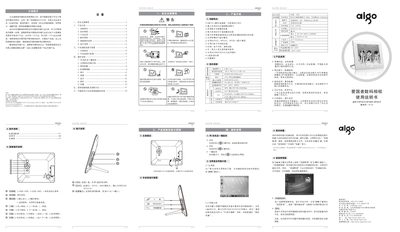
Aigo DPF801D/DPF802D/DPF901D Digital Photo Frame User Manual
The Aigo DPF801D/DPF802D/DPF901D digital photo frame features an 8‑inch 4:3 LCD display with 800 × 600 resolution and supports photo, video, music and e‑book playback. It includes built‑in speakers, SD/MMC/SDHC card slots (up to 32 GB) and a USB flash‑drive interface for easy media loading.
The manual provides safety guidelines, detailed panel and button functions, connection diagrams, step‑by‑step operation instructions, and a troubleshooting section for common issues such as power problems, media compatibility and display errors. This manual is written in Chinese.
Covers: 安全注意事项 · 产品介绍 · 技术规格 · 配件清单 · 面板操作说明 · 端子说明
AIGO S580 ManualV1.0
This manual introduces the AIGO S580 portable media player, covering safety precautions, package contents, button functions, and basic operation such as powering on, resetting, and connecting to a PC. It also explains charging methods, TF‑card insertion, and supported media formats.
Later sections describe how to use the built‑in browser, play movies, music, pictures, and e‑books, as well as detailed troubleshooting tips and the full technical specifications of the device. This manual is written in Chinese.
Covers: Features · Package Contents · Button Functions · Power On/Off and Reset · Connecting to PC · Charging and Battery
Latest AIGO manuals
AIGO digital camera Manual
This document describes the product features and characteristics of the 3M 4000 series of double-sided tape. It is a high-performance double-sided tape that can be used in a variety of applications, including automotive, industrial, and construction.
AIGO PT6116 Multimedia Projector User Manual
User Manual 25 pages · 12.5 MB · ZHUser manual for the AIGO PT6116 portable multimedia projector with setup, operation, and troubleshooting instructions.
AIGO F5050 Digital Photo Frame User Manual
User Manual 42 pages · 1.2 MB · ZHThe AIGO F5050 digital photo frame user manual provides setup, operation, safety instructions, and technical specifications.
Aigo DPF801D/DPF802D/DPF901D Digital Photo Frame User Manual
User Manual 2 pages · 1.1 MB · ZHUser manual for the Aigo DPF801D/DPF802D/DPF901D digital photo frame covering setup, operation, specifications and troubleshooting.
AIGO PT6110 multimedia Projector Manual
AIGO S580 ManualV1.0
User Manual 20 pages · 548 KB · ZHThe AIGO S580 media player user manual provides safety guidelines, setup steps, feature details, and troubleshooting help.
Which document do I need?
User Manual
Day-to-day operation, settings and troubleshooting. Start here if the product is already set up.
Questions answered in AIGO manuals
How do I connect the power adapter?
Connect the supplied power adapter cable to the DC input jack, then plug the adapter into an AC outlet.
What are the operating temperature limits?
The device operates in temperatures from 0 °C to 40 °C.
What types of storage media can I use with the frame?
The frame supports SD, MMC, SDHC cards up to 32 GB and also allows direct USB flash‑drive connection.
From: Aigo DPF801D/DPF802D/DPF901D Digital Photo Frame User Manual
What should I do if the device freezes or becomes unresponsive?
Unplug the power adapter, wait a moment, then plug it back in to reset the unit.
From: Aigo DPF801D/DPF802D/DPF901D Digital Photo Frame User Manual
What should I do if the player freezes?
Hold the power button for about 8 seconds to force a restart.
From: AIGO S580 ManualV1.0