
ZLG user manual Rev 1.0 for the ZNE-300T/TI Ethernet-to-serial module, covering local and remote firmware upgrade procedures and the ZNetCom software.
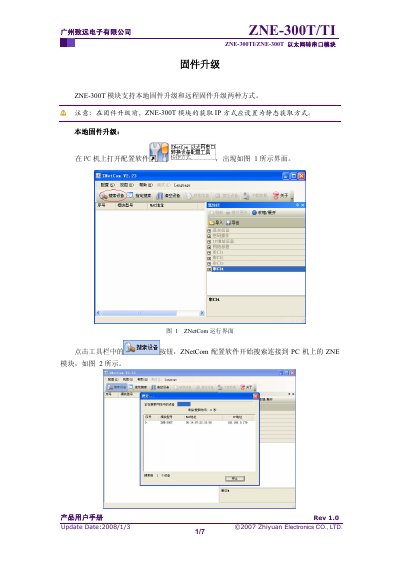
This is the Rev 1.0 product user manual for the ZNE-300TI/ZNE-300T Ethernet-to-serial module from Guangzhou Zhiyuan Electronics (ZLG). The covered section explains that the ZNE-300T module supports two firmware upgrade methods: local firmware upgrade and remote firmware upgrade, and notes that the module's IP acquisition method must be set to static before upgrading.
The local procedure uses the ZNetCom configuration software to search for the module, read its configuration, select the upgrade file and enter the factory default password 88888. If the local upgrade fails, the manual describes the remote method: put the module into BootLoader state, then use a TCP&UDP test tool with the module's default IP address 192.168.0.178 and port 6854 to send the file. The last page lists ZLG sales and service network addresses and phone numbers. This manual is written in Chinese.
| Factory default upgrade password | 88888 |
|---|---|
| Factory default IP address | 192.168.0.178 |
| Remote upgrade port | 6854 |
| IP acquisition method for upgrade | Static |
The factory default password is 88888.
The factory default IP address is 192.168.0.178.
The remote firmware upgrade uses port 6854 with a TCP connection.
It must be set to the static acquisition method before the firmware upgrade.