
The XMT 8000/8100/8200 series temperature alarm instrument manual provides specifications, wiring diagrams, and operation instructions.
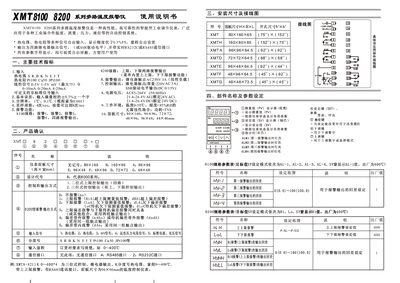
This manual describes the XMT 8000/8100/8200 series SSR temperature alarm instrument, a high‑performance industrial controller used for temperature, flow, pressure and level monitoring. It details the physical dimensions, panel layout, input signal options, power requirements, communication interfaces, and alarm output configurations.
The document also explains configuration procedures such as data lock settings, parameter adjustments, and control modes (two‑position and three‑position). Maintenance guidelines, warranty information, and contact details for the manufacturer are included at the end. This manual is written in Chinese.
| Input signal types | Thermocouple, RTD, mV signal, pressure resistor, standard current/voltage |
|---|---|
| Power supply voltage | AC 85‑264 V, 50/60 Hz |
| Alarm output | Four relay contacts, AC 250 V 3 A (SSR drive level optional) |
| Display accuracy | Better than 0.3 % FS |
| Panel size | 80 mm × 160 mm |
| Communication interfaces | RS232C, RS485 |
It accepts thermocouples, RTDs, millivolt signals, pressure resistors, and standard current/voltage signals.
It operates from an AC supply of 85 V to 264 V at 50 Hz or 60 Hz.
After powering on, press and hold the SET and shift keys for about one second, then release to enter the lock setting screen.