
VTech A2210-NS analog corded 1-line hotel phone user guide covering installation, settings, and call operation.
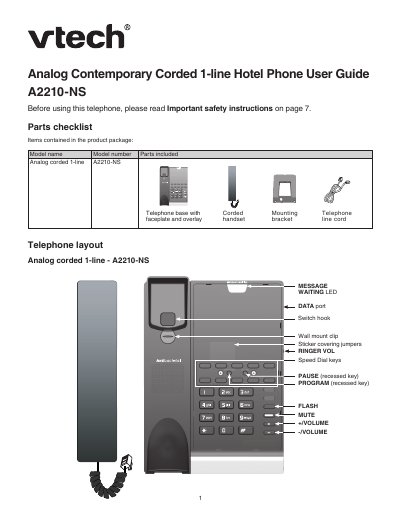
This user guide covers the VTech A2210-NS analog corded 1-line hotel phone. It describes the telephone layout, parts checklist, and installation options for desktop or wall mounting.
The guide also explains default settings, ringer and flash configuration, voicemail voltage detection, Speed Dial programming, and basic call operations such as answering, placing, muting, and call waiting.
| Product type | Analog corded 1-line |
|---|---|
| Handset earpiece volume | 1, 2*, 3, 4 |
| Ringer volume | Low, Medium*, High |
| Ringer tone | Tone 1*, Tone 2, Tone 3 |
Align the eyelets with the wall plate mounting studs and slide the base down until it locks into place.
Slide the RINGER VOL switch on the right side of the telephone base.
Press the recessed PROGRAM key, press the desired Speed Dial key, and enter the telephone number.
Default settings are indicated by asterisks.