
Quick start guide for the VIZIO SB3220n-F6 sound bar, covering safety, package contents, connections, setup, remote use, and troubleshooting.
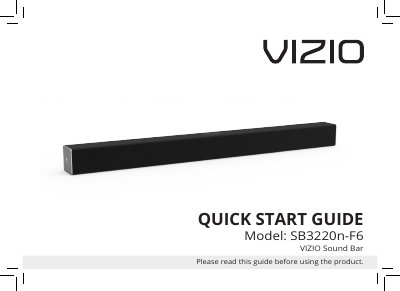
The VIZIO SB3220n-F6 Quick Start Guide opens with important safety instructions for installation, use, and maintenance. It then lists package contents, describes controls and connections on the sound bar, and explains first-time setup, including choosing a cable to connect the sound bar to a TV.
The guide also covers using the remote, LED indicators, programming the sound bar, button combinations, Bluetooth pairing, Bluetooth mode, advanced setup, wall-mounting, troubleshooting, warranty, and legal information. It is intended to be read before using the product.
| Remote control batteries | 2 x AAA |
|---|---|
| USB playback formats | .WAV and .MP3 |
| Maximum ambient operating temperature | 35°C |
The package includes the sound bar, remote control with two AAA batteries, power cable, digital optical cable, coaxial audio cable, stereo RCA to 3.5mm audio cable, wall mount template, wall mount screws, and wall mount brackets.
Choose one cable: digital optical, digital coaxial, or 3.5mm to RCA, then connect it to the TV.
It supports .WAV and .MP3 file format playback only.
Hold the Bluetooth Input button on top of the sound bar to pair.