
This quick setup guide covers initial installation, connectivity options like HDMI and eARC, accessibility features, and privacy information regarding…
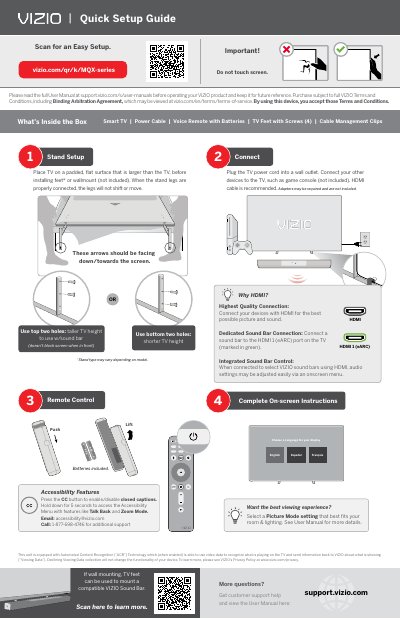
This document serves as a Quick Setup Guide for the VIZIO MQX-Series Smart TV. It provides essential instructions for initial setup, including placing the TV on a padded surface, connecting the power cord, and linking external devices such as game consoles via HDMI. The guide also details the contents of the box, which include the TV, power cable, voice remote, and mounting accessories.
| Included Accessories | Smart TV | Power Cable | Voice Remote with Batteries | TV Feet with Screws (4) | Cable Management Clips |
|---|---|
| Power Source | Wall outlet |
| Recommended Cable | HDMI cable |
| Battery Type | AAA |
Declining Viewing Data collection will not change the functionality of your device.
See the User Manual for more details on selecting a Picture Mode setting.
Press the CC button to enable/disable closed captions, or hold it down for 5 seconds to access the Accessibility Menu.