
This manual covers the installation, connection, paper loading, self-test, and troubleshooting for the VeriFone P540 Receipt and Journal printers.
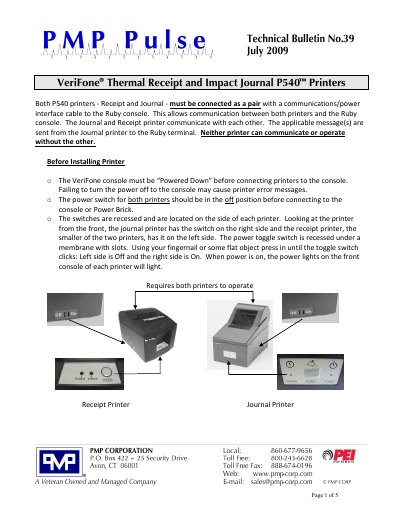
The VeriFone P540 system consists of a Receipt printer and a Journal printer that must be connected as a pair to a Ruby console via a communications/power interface cable. Both units are required to operate and communicate with each other and the console. Before installation, the console must be powered down, and the power switches on both printers must be in the off position.
| Cable Lengths | 10 ½ inch and 6 foot |
|---|
No, neither printer can communicate or operate without the other.
Press and hold the FEED button while turning on the power to the printer being tested.
Use a Phillips Screwdriver to turn the screw and return the blade to its home position.