
German user manual for the testo 175 series data loggers (T1, T2, T3, H1), covering safety, setup, operation, maintenance and troubleshooting.
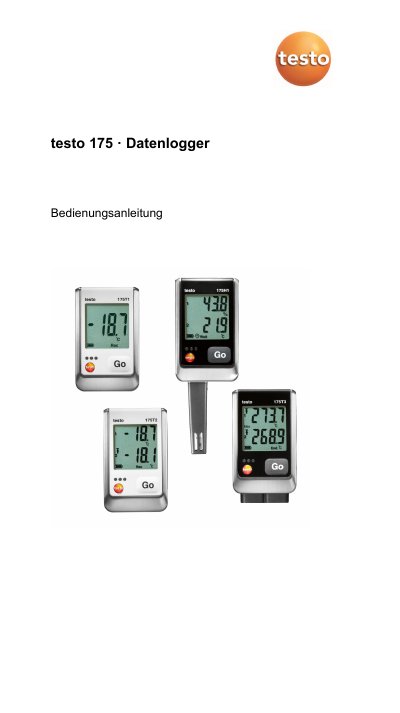
This manual is the operating instructions for the testo 175 series data loggers, including models T1, T2, T3 and H1. It covers safety and environmental notes, intended use, technical data, first steps, display and controls, use, maintenance, troubleshooting and accessories.
The loggers measure and store measurement values and transfer them to a PC via USB cable or SD card for evaluation with testo Comfort Software. The manual also lists model-specific technical data, battery information, protection classes, dimensions and storage capacity. This manual is written in German.
| testo 175 T1 measurement range | -35 to +55 °C |
|---|---|
| testo 175 T2 internal measurement range | -35 to +55 °C |
| testo 175 T2 external measurement range | -40 to +120 °C |
| testo 175 T3 measurement range (Type T) | -50 to +400 °C |
| testo 175 T3 measurement range (Type K) | -50 to +1000 °C |
| testo 175 H1 temperature range | -20 to +55 °C |
| testo 175 H1 humidity range | 0 to 100 %rF |
| Battery type | 3x AAA or Energizer L92 AAA |
| Memory capacity | 1 million measurement values |
| Measurement interval | 10 s to 24 h |
| Interface | Mini-USB, SD card slot |
| Protection class (T1, T2, T3) | IP 65 |
| Protection class (H1) | IP 54 |
| Dimensions (T1, T2, T3) | 89 x 53 x 27 mm |
| Dimensions (H1) | 149 x 53 x 27 mm |
| Housing | ABS/PC |
There was an error saving data to the SD card; remove the SD card, free storage space and copy the data.
The logger has not recorded any data yet and is in Wait mode; remove the SD card and wait until it enters Rec mode.
The battery was changed and no data is being recorded; reprogram the data logger using the software.
The sensor of the data logger is defective; contact your dealer or Testo customer service.