
Suunto VECTOR HR POCKET Wearable Device User Manual

Suunto VECTOR HR POCKET user manual covering TIME, ALTI, BARO, COMP, and HRM modes, setup, logbook, calibration, alarms, and memory functions.
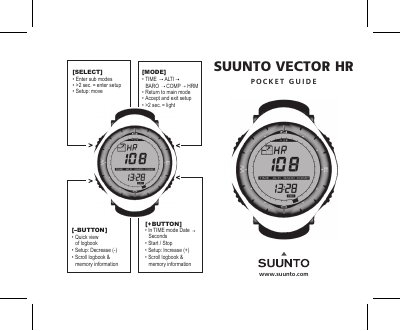

Suunto VECTOR HR POCKET Wearable Device User Manual - cover page
Brand
Suunto
Category
Watches
Document type
User Manual
Language
English
Pages
2
File format
PDF
File size
795 KB
Published
09 November, 2026
Updated
09 November, 2026
MD5 checksum
1DB6D40D4FD08F1A4218D050CD0C8BB3

About this manual

This user manual covers the Suunto VECTOR HR POCKET wearable device. It explains the SELECT, MODE, and +/- buttons, the main modes TIME, ALTI, BARO, COMP, and HRM, and how to enter setup or return to the main mode.

It also describes setting reference altitude, calibrating the compass, using the logbook and memory, barometer and altimeter functions, difference measurement, daily alarms, dual time, stopwatch, interval timer, sea level pressure, and declination adjustment.

What's inside

  • Main modes (TIME, ALTI, BARO, COMP, HRM)
  • Set reference altitude
  • Calibrate compass
  • Start / stop logbook
  • Barometer and altimeter
  • Difference measurement
  • Daily alarms
  • Heart rate monitor
  • Stopwatch and interval timer
  • Declination adjustment

Frequently asked questions

How do I enter setup mode?

Press and hold SELECT for more than 2 seconds.

What main modes does the device have?

The device offers TIME, ALTI, BARO, COMP, and HRM modes.

How do I return to the main mode?

Press the MODE button to return to the main mode.

Download PDF (795 KB)

More Suunto Manuals


View all Suunto manuals →