
User manual for the SR120-A Home Gateway covering WLAN, LED indicators, connections, web configuration, safety precautions, and FCC/ISED statements.
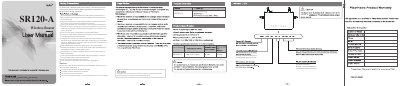
The SR120-A Home Gateway user manual describes the WLAN status setting, where ON enables WLAN and OFF disables it, and the blinking indicators for the Internet and WLAN interfaces. It shows the package contents, power, network, USB, and Internet port connections, and the steps for reaching the web configuration page at 192.168.51.1.
Safety precautions cover ventilation, heat and moisture, power adapter use, socket and cable load, cleaning, lightning storms, and warranty conditions. The document ends with troubleshooting FAQs plus FCC and ISED statements, including a 20 cm minimum distance and indoor-use-only note for the 5150-5350 MHz band.
| Default IP address | 192.168.51.1 |
|---|---|
| Minimum RF exposure distance | 20 cm |
| 5150-5350 MHz band use | Indoor use only |
| WLAN status | ON = enabled; OFF = disabled |
Check the connection between the power adapter and the power socket, and make sure the power switch is turned on.
Check whether the WLAN function has been enabled.
Check whether the device is connected to the internet.
Enter Ping 192.168.51.1 in the DOS window; if the page still cannot be accessed, check the network cable type, the device-to-computer connection, and the computer network card's TCP/IP properties.