
The Sony MUC-M1BT1 Quick Start Guide explains charging, earphone installation, NFC pairing, Bluetooth connection, operation and safety notes.
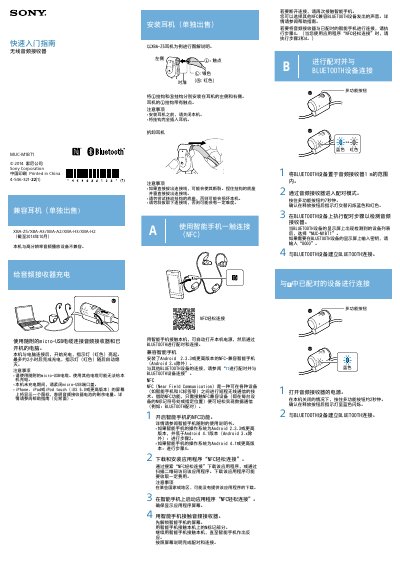
This quick start guide provides step‑by‑step instructions for using the Sony MUC‑M1BT1 wireless audio receiver. It covers charging the device, installing and removing compatible earphones, and using NFC to pair with a smartphone.
The guide also details Bluetooth pairing procedures, playback controls, phone call handling, and safety precautions. Each function is described with button‑press sequences and indicator‑light feedback to help users operate the receiver efficiently. This manual is written in Chinese.
| Charging time | approximately 2 hours |
|---|---|
| Charging indicator | red LED lights while charging, turns off when complete |
| Default Bluetooth PIN | 0000 |
| Supported Bluetooth profiles | A2DP, AVRCP, HSP, HFP |
| Supported Bluetooth profiles (voice) | HSP, HFP |
| NFC pairing method | Touch NFC‑marked area of receiver with compatible smartphone |
| Playback control | Single press: play/pause; double press: next track; triple press: previous track |
Connect the receiver to a powered computer using the supplied micro‑USB cable; the red indicator lights while charging and turns off after about two hours.
Touch the NFC‑marked area of the receiver with an NFC‑compatible Android phone, then follow the prompts in the “NFC轻松连接” app to complete pairing.
The default PIN is “0000”.
Press the button once to play/pause, twice quickly for next track, three times for previous track; press twice and hold for volume up, three times and hold for volume down.