
SixNet application note explains dial-up modem setup for remote programming and monitoring of PLCs on an A-B Data Highway Plus network.
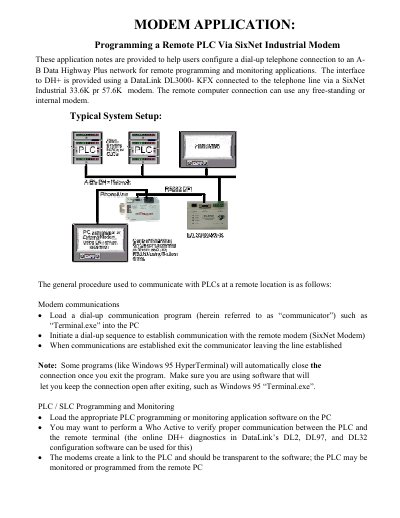
This application note describes how to configure a dial-up telephone connection to an A-B Data Highway Plus network for remote programming and monitoring. The DH+ interface is provided by a DataLink DL3000-KFX connected to the telephone line through a SixNet Industrial 33.6K or 57.6K modem.
The document covers modem communications and PLC/SLC programming and monitoring, signal and cabling details for the modem, PC and DL3000, device settings, and two methods for setting up the SixNet modem: the SixNet VT-Modem Setup Wizard and AT command strings. It also lists settings for the PC modem and the DataLink unit.
| Supported SixNet modem speeds | 33.6K or 57.6K |
|---|---|
| PC/computer to modem cable | DB9F to DB25M, supports handshaking |
| PC/DL3000 to SixNet modem cable | DB9F to DB9M, supports handshaking |
| SixNet modem configuration methods | VT Modem Setup Wizard or AT command strings |
A DataLink DL3000-KFX connected to the telephone line via a SixNet Industrial 33.6K or 57.6K modem.
Use the SixNet VT-Modem Setup Wizard or send AT command strings with a terminal emulator.
ATS0=1 sets the modem to answer on the first ring.
Set Ignore DTR with AT&D0.