
SIXNET Remote I/O Tool Kit and Sealevel 7201 PCI Card User Guide

Instructions for configuring the Sealevel 7201 PCI card in RS-485 mode to connect to a SIXNET EtherTRAK I/O module using the MODBUS RTU protocol.
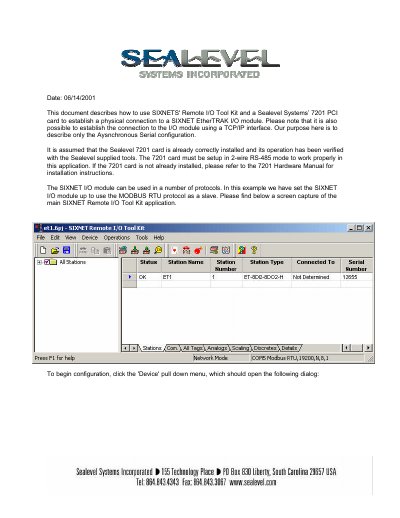

SIXNET Remote I/O Tool Kit and Sealevel 7201 PCI Card User Guide - cover page
Brand
Sixnet
Category
Industrial Robot
Document type
User Manual
Language
English
Pages
6
File format
PDF
File size
1.2 MB
Published
31 October, 2026
Updated
31 October, 2026
MD5 checksum
188580FF8019ADF526A1CCE44B9D63C7

About this manual

This guide explains how to use the SIXNET Remote I/O Tool Kit with a Sealevel Systems 7201 PCI card to establish a physical connection to a SIXNET EtherTRAK I/O module via an asynchronous serial configuration. It assumes the Sealevel 7201 card is already installed and verified.

What's inside

  • Device Configuration
  • COM Port Setup
  • General Settings
  • RS-485 Settings
  • Global Settings
  • RS-485 Stations
  • Loading Settings

Frequently asked questions

What protocol is the SIXNET I/O module configured to use in this example?

The SIXNET I/O module is configured to use the MODBUS RTU protocol as a slave.

What are the communication settings for the I/O module?

The settings are 19.2K-baud, 8 data bits, no parity, and 1 stop bit.

What COM port identifier is assigned to port 1 on the Sealevel 7201 card?

The COM identifier assigned to port 1 on the Sealevel 7201 card is 'COM5'.

What mode must the Sealevel 7201 card be set to for this application?

The 7201 card must be setup in 2 -wire RS -485 mode.

Download PDF (1.2 MB)

More Sixnet Manuals


View all Sixnet manuals →