
Siemens SINUMERIK 840D sl/840Di sl/840D/810D HMI Advanced Operating Manual

Keyboard mapping and usage notes for connecting a standard full keyboard to Siemens SINUMERIK 840D sl/840Di sl/840D/810D controls.

Siemens SINUMERIK 840D sl/840Di sl/840D/810D HMI Advanced Operating Manual - cover page
Brand
Siemens
Category
Other
Document type
User Manual
Language
English
Pages
1
File format
PDF
File size
59 KB
Published
25 November, 2026
Updated
25 November, 2026
MD5 checksum
0459B8734BFF44155363A9A8CF30E0A6

About this manual

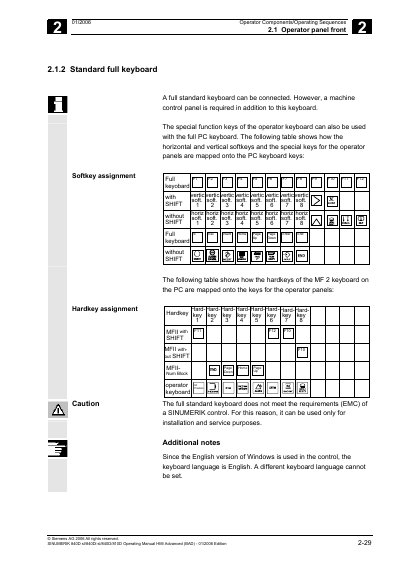
This page from the Siemens SINUMERIK 840D sl/840Di sl/840D/810D Operating Manual (HMI Advanced, 01/2006) covers operator panel components and operating sequences. It explains how a standard full keyboard can be connected, maps softkeys and hardkeys to PC keyboard keys, and states EMC and keyboard-language limitations.

What's inside

  • Operator Components/Operating Sequences
  • Operator panel front
  • Standard full keyboard
  • Softkey assignment
  • Hardkey assignment

Specifications

Keyboard languageEnglish

Frequently asked questions

Can a standard full keyboard be connected to the control?

Yes, but a machine control panel is also required.

Can the special function keys be used with a full PC keyboard?

Yes, the special function keys of the operator keyboard can also be used with the full PC keyboard.

Does a standard full keyboard meet the EMC requirements?

No; it can be used only for installation and service purposes.

Can the keyboard language be changed?

No, the keyboard language is English and cannot be set differently.

Download PDF (59 KB)

More Siemens Manuals


View all Siemens manuals →