
Qolsys IQ Panel 2 battery quick install guide covering power-down, removal, and installation of replacement battery QR0041-840.
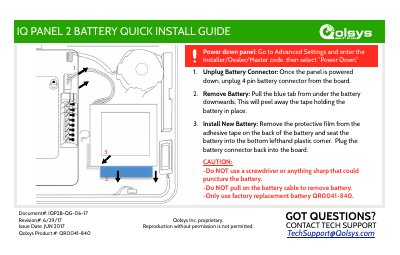
This one-page guide explains how to replace the battery in a Qolsys IQ Panel 2. It covers powering down the panel, unplugging and removing the old battery, and installing the factory replacement battery QR0041-840, with cautions against using sharp tools or pulling the battery cable.
Go to Advanced Settings, enter the Installer/Dealer/Master code, then select “Power Down”.
Use only the factory replacement battery QR0041-840.
Do not use a screwdriver or anything sharp that could puncture the battery, and do not pull on the battery cable.