
Installation guide for Phanteks Revolt SFX power supplies (PH-P750GH, PH-P750PH, PH-P850GH, PH-P850PH) covering mounting and cable connections.
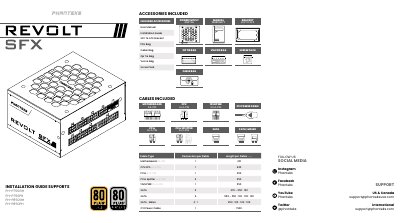
The Phanteks Revolt SFX power supply installation guide covers the PH-P750GH, PH-P750PH, PH-P850GH, and PH-P850PH models. It shows how to install the PSU in a computer chassis, use the included SFX-to-ATX bracket, and connect the supplied cables.
The guide lists the included cables and accessories, including the 24-pin motherboard cable, CPU EPS 4+4-pin, PCIe 6+2-pin, PCIe splitter, 12VHPWR 12+4-pin, SATA, SATA/Molex, and C13 power cable. It also explains the 12VHPWR GPU connector, Hybrid Fan Mode, and safety steps for turning the power supply on and off.
| Supported models | PH-P750GH, PH-P750PH, PH-P850GH, PH-P850PH |
|---|---|
| Motherboard 24-pin cable length | 310 mm |
| CPU EPS 4+4-pin cable length | 420 mm |
| PCIe 6+2-pin cable length | 250 mm |
| 12VHPWR cable length | 250 mm |
| C13 power cable length | 1500 mm |
| 12VHPWR maximum output, SFX 850 | Up to 600 W |
| 12VHPWR maximum output, SFX 750 | Up to 450 W |
It supports the PH-P750GH, PH-P750PH, PH-P850GH, and PH-P850PH.
Set the Hybrid Fan Mode button to the ‘ON’ position; switch it back to ‘OFF’ to turn the mode off.
Switch the power button from the ‘I’ to the ‘O’ position so the power supply is turned off.
No; only use Phanteks cables that are provided with the power supply.