
This manual provides installation instructions for the Phanteks ECLIPSE P500A computer case, covering component mounting, cable connections, and D-RGB…
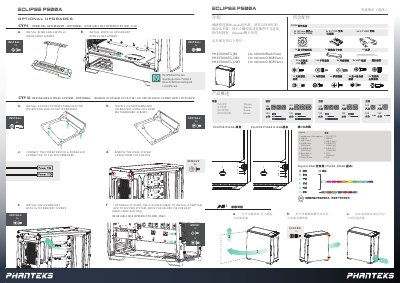
The document serves as an installation guide for the Phanteks ECLIPSE P500A chassis. It details the removal of panels, installation of the motherboard, power supply, storage drives (2.5" SSDs and 3.5" HDDs), and optional vertical GPU mounting. The guide includes specific steps for connecting front I/O headers and SATA cables. This manual is written in Chinese.
| Front I/O Ports | Headphone/Microphone, USB 3.0, USB-C Gen 2, D-RGB Color/Mode (P500A-D only), Reset Button (P500A only), Power Button |
|---|---|
| GPU Clearance | 435 mm |
| Front Radiator Clearance | 95 mm |
| Top Radiator Clearance | 65 mm |
Yes, but only on specific models. The text distinguishes between standard and D-RGB versions.
No, the manual states that the riser cable is sold separately.