
Standard Operating Procedure for the PerkinElmer LS50B Luminescence Spectrometer covering instrument startup, software operation, scan configuration, and…
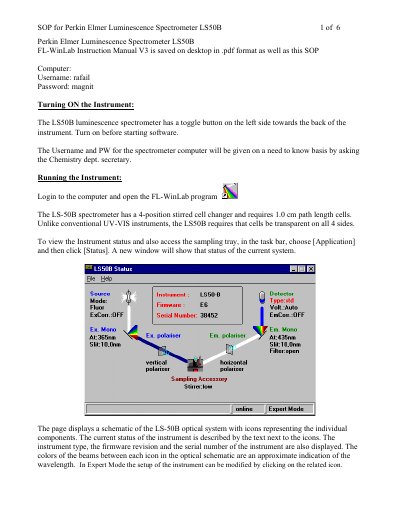
This document serves as a Standard Operating Procedure (SOP) for the PerkinElmer LS50B Luminescence Spectrometer. It details the steps required to turn on the instrument using its toggle button and login to the associated computer running FL-WinLab software.
The guide provides instructions on accessing the sampling tray, configuring scan parameters such as excitation and emission wavelengths, and utilizing real-time options like background spectrum selection. It also covers data processing features for viewing spectral curves and saving results in text or Excel formats.
The instrument requires 1.0 cm path length cells that must be transparent on all four sides.
The default settings include a start of 340, end of 480, emission of 388, Ex Slit of 5, Em Slit of 2.5, and Scan Speed of 50.
The name of the background spectrum is saved in the header of the data set within the "FL MEMO" field.