
A brief guide for first‑time power‑up, connection, and basic configuration of the Oracle SPARC T3-2 server.
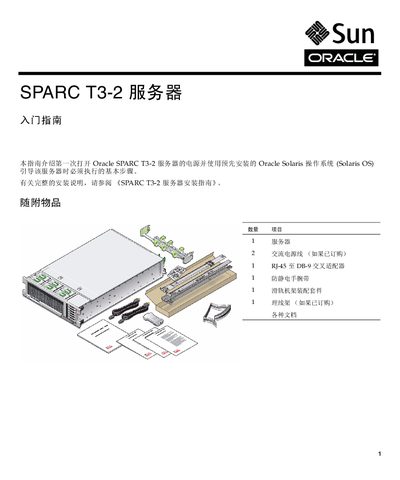
This guide walks you through unpacking the SPARC T3-2 server, checking the included items, and preparing the environment before powering on the system. It explains how to connect the Service Processor (SP) via the SER MGT serial port using an RJ‑45 crossover adapter and a standard RJ‑45 cable, and how to configure basic network and system settings.
After the initial SP configuration, the guide shows how to attach the server to the network, power it on with optional redundant power supplies, and complete the Solaris OS boot process. It also provides links to the full online documentation set and support resources. This manual is written in Chinese.
| Serial port settings | 9600 baud, 8 data bits, no parity, 1 stop bit |
|---|---|
| Power supply redundancy | Optional dual power supplies for redundancy |
The default root password is "changeme".
Only one power supply is required for operation; a second supply provides redundancy.