
Quick installation guide for the Moxa V2101 embedded computer, covering package contents, panel layout, LED indicators, mounting, connectors, power-on, and…
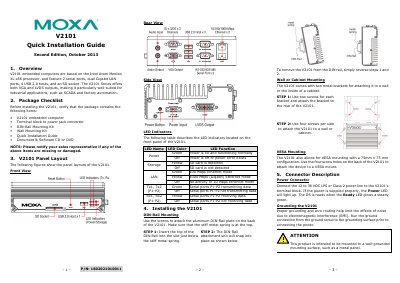
The Moxa V2101 is an embedded computer based on the Intel Atom Menlow XL x86 processor. It features 2 serial ports, dual Gigabit LAN ports, 4 USB 2.0 hosts, an SD socket, and both VGA and LVDS outputs.
This guide describes the package checklist, panel layout, LED indicators, DIN-rail, wall/cabinet, and VESA mounting, connector descriptions, power-on procedure, PC connection, and Ethernet interface configuration for Linux, WinCE 6.0, and WinXPE.
| Processor | Intel Atom Menlow XL x86 |
|---|---|
| Serial ports | 2 |
| LAN ports | Dual Gigabit |
| USB hosts | 4 USB 2.0 |
| Video outputs | VGA and LVDS |
| Power input | 12 to 36 VDC LPS or Class 2 |
| SD card capacity | Up to 1 GB (SD 1.0) |
| SDHC card capacity | Up to 16 GB (SD 2.0) |
| USB host details | 4 USB 2.0 full speed hosts (OHCI) |
| Digital I/O | 3-channel digital input and 3-channel digital output |
| Ethernet speed | 10/100/1000 Mbps |
| Serial interfaces | RS-232, RS-422, RS-485 |
| USB port locations | One front, remaining ports rear |
| Audio | Audio input and audio output |
| VESA mounting | 75 mm x 75 mm |
| Boot time | About 30 seconds |
| Default LAN 1 IP address | 192.168.3.127, netmask 255.255.255.0 |
| Default LAN 2 IP address | 192.168.4.127, netmask 255.255.255.0 |
It is based on the Intel Atom Menlow XL x86 processor.
Connect a 12 to 36 VDC LPS or Class 2 power line to the terminal block.
LAN 1 is 192.168.3.127 and LAN 2 is 192.168.4.127, both with netmask 255.255.255.0.
It takes about 30 seconds for the system to boot up.