
Moxa UPort 1100 Series USB-to-Serial Converter Quick Installation Guide

This guide provides quick installation instructions for the Moxa UPort 1100 Series USB-to-Serial Converter, covering driver setup for Windows, Linux, and WinCE.
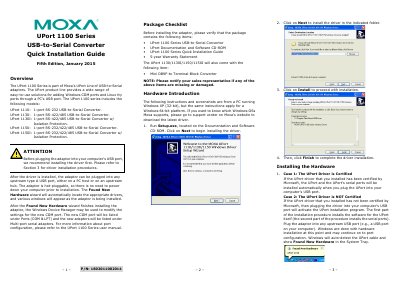

Moxa UPort 1100 Series USB-to-Serial Converter Quick Installation Guide - cover page
Brand
moxa
Category
Other Computer Accessories
Document type
Quick Start Guide
Language
English
Pages
2
File format
PDF
File size
285 KB
Published
30 October, 2026
Updated
30 October, 2026
MD5 checksum
12F0114E0A0BA6BBCD4063CF87C76119

About this manual

The Moxa UPort 1100 Series includes models such as the UPort 1110, UPort 1130, UPort 1150, and their isolated variants. This document serves as a quick installation guide for adding Windows COM ports and Linux tty ports through a PC's USB port. It details the driver installation process and hardware setup procedures.

What's inside

  • Overview
  • Package Checklist
  • Hardware Introduction
  • Installing the Driver
  • Installing the Hardware
  • Installing the Linux Driver
  • Installing the Win CE Driver
  • Serial Port Pin Assignments

Frequently asked questions

What is the UPort 1100 Series used for?

It is a USB-to-Serial adaptor for adding Windows COM ports and Linux tty ports through a PC’s USB port.

Which models are included in the UPort 1100 Series?

UPort 1110, UPort 1130, UPort 1130I, UPort 1150, and UPort 1150I.

What should be done before plugging in the adaptor?

Install the driver first, as recommended before plugging the adaptor into the USB port.

What is included in the package for UPort 1130/1130I/1150/1150I models?

The package includes a Mini DB9F-to Terminal-Block Converter.

Download PDF (285 KB)

More moxa Manuals


View all moxa manuals →