
Product guide for the Mimaki Tx300P-1800 textile inkjet printer covering its five ink types, hybrid printing, print heads, RIP software and fastness tests.
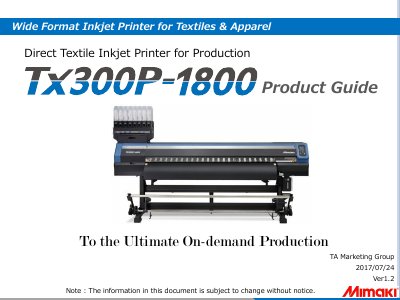
This product guide presents the Mimaki Tx300P-1800, a wide-format direct textile inkjet printer for textiles and apparel aimed at high-mix, low-volume production. It supports two ink types on one printer (textile pigment and sublimation dye ink) and direct printing on both cotton and polyester, with pretreatment needed for polyester. Four print heads are aligned in-line, each with 800 nozzles arranged as 200 nozzles x 4 rows; the recommended head gap is 3 mm, and the printer is stated to reach 37 m2/h with sublimation ink, 4 colors in standard mode, described as double the productivity of the conventional TX2 DS Series. A 2L ink supply via MBIS3, an NCU for automatic nozzle condition maintenance, and Ethernet 1000BASE-T connection to a RIP PC support continuous operation.
The guide details the five ink options - sublimation dye Sb420 (4C/6C), disperse dye Dd400 (8C), textile pigment TP400 (4C/7C), reactive dye Rc400 (8C) and acid dye Ac400 (8C) - with the colors loadable for each, the textiles and applications they suit, and their pros and cons. One ink type is selected when the printer is installed. RIP software is chosen at purchase from TxLink3 Lite or RasterLink6, with TxLink3 Professional/Standard listed for design work, and the document closes with fastness test results for Sb420 and Dd400 compared with Sb300 using JIS and ISO test methods.
| Print head arrangement | 4 print heads aligned in-line |
|---|---|
| Nozzles per print head | 800 nozzles (200 nozzles x 4 rows) per head |
| Productivity | 37 m2/h with sublimation ink, 4 colors, standard mode |
| Recommended head gap | 3 mm |
| Ink supply | 2 liter ink pack only |
| Network connection | Ethernet 1000BASE-T, category 6 (CAT6) cable |
| Sublimation dye ink colors (Sb420) | Blue, Magenta, Yellow, Black, Light Blue, Light Magenta |
| Textile pigment ink colors (TP400) | Cyan, Magenta, Yellow, Black, Blue, Red, Light Black |
| Acid dye ink colors (Ac400) | Cyan, Magenta, Yellow, Black, Blue, Red, Orange, Light Black |
The printer can be set up with sublimation dye ink Sb420, disperse dye ink Dd400, textile pigment ink TP400, reactive dye ink Rc400 or acid dye ink Ac400, and one ink type is selected when the printer is installed.
Yes, textile pigment ink and sublimation dye ink can be loaded on a single printer; sublimation transfer ink is not supported.
No, the textile pigment ink process requires no steaming, washing or drying, and post printing is just heating.
TxLink3 Lite or RasterLink6 is selected at the time of printer purchase, and TxLink3 Professional/Standard is listed as design software.