
Midland WR120 Weather Radio Quick Start Instructions

Quick start guide for setting up the Midland WR120 weather radio, including language, location, time, and channel configuration.
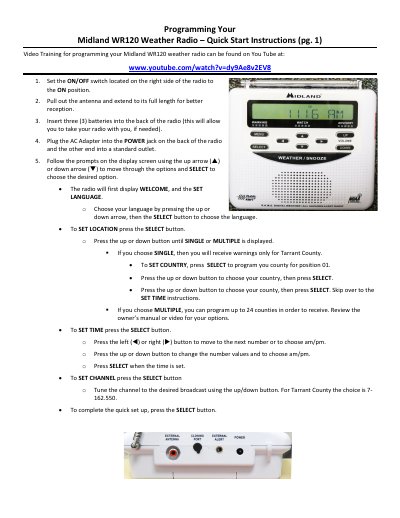

Midland WR120 Weather Radio Quick Start Instructions - cover page
Brand
Midland
Category
Other Electronics
Document type
User Manual
Language
English
Pages
2
File format
PDF
File size
676 KB
Published
19 November, 2026
Updated
19 November, 2026
Model
WR-120
MD5 checksum
267EFD5005A05EB814995E262B897B68

About this manual

This document provides quick start instructions for programming the Midland WR120 weather radio. It covers essential setup steps such as turning the unit on, installing batteries, connecting the AC adapter, and configuring the display language. Users are guided through selecting their location (Single or Multiple counties), setting the country and county, and programming the current time.

What's inside

  • Programming Your Midland WR 120
  • Set Language
  • Set Location
  • Set Country
  • Set Time
  • Set Channel
  • SAME Technology

Frequently asked questions

What is the Midland WR120 designed to do?

It is designed with SAME technology to receive alerts for specific areas.

How many counties can be programmed when using MULTIPLE mode?

Up to 24 counties can be programmed.

What channel range is available for Tarrant County?

The channel range is 7 - 162.550.

Download PDF (676 KB)

More Midland Manuals


View all Midland manuals →