
Midland GXT600/635/650/656 Series GMRS/FRS Radio Owner's Manual

This document is the user manual of MIDLAND GXT600/635/650/656 Series GMRS/FRS Radio, introducing the features and characteristics of the product, including 22 GMRS/FRS channels, 121 privacy codes, VOX, optional call alerts, NOAA weather radio, vibration alert, scanning function, monitoring function, Roger beep tone, silent operation, keypad lock, high/medium/low power settings, speaker/microphone jack, etc.
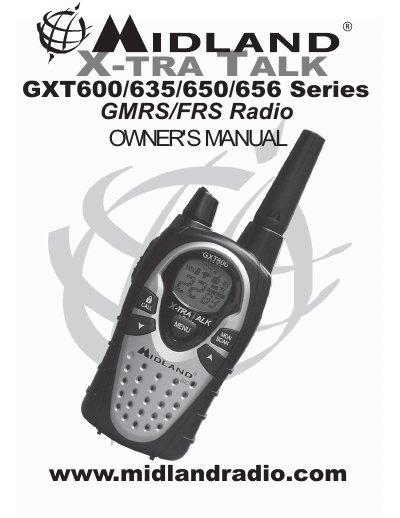

Midland GXT600/635/650/656 Series GMRS/FRS Radio Owner's Manual - cover page
Brand
Midland
Document type
User Manual
Language
English
Pages
24
File format
PDF
File size
1.5 MB
Published
02 July, 2012
Updated
01 October, 2023
MD5 checksum
AD3C75ED3DA435E9C01326C1177AE0BD

About this manual

This document is the owner's manual for the Midland GXT600/635/650/656 Series GMRS/FRS Radio. It provides instructions on installing batteries and accessories, operating controls such as the PTT button and volume knob, and utilizing features like VOX, Scan, and Monitor modes.

What's inside

  • Introduction
  • LCD Display Icons
  • Controls
  • Battery Installation
  • Charging Optional Battery Pack
  • Operating Your Radio
  • External Speaker/Microphone Jack
  • Troubleshooting Guide
  • Specifications and Frequency Charts

Specifications

Privacy Codes121 Privacy Codes (38 CTCSS / 83 DCS)
Channels (GMRS/FRS)22 Channels

Frequently asked questions

How do I enter Scan mode?

Quickly press the SCAN button to scan all 22 channels for activity.

How long does it take to initially charge the optional NiMH battery pack?

The initial charge time is 24 hours.

What is the maximum recommended transmission time for GMRS operation to comply with FCC RF exposure guidelines?

You must transmit no more than 50% of the time.

How far from your mouth should you hold the radio for maximum clarity when transmitting?

You should hold the radio 2 to 3 inches from your mouth.

Download PDF (1.5 MB)

More Midland Manuals


View all Midland manuals →