
MERCUSYS MS108 desktop switch installation guide with connection diagram, LED explanations, FAQ, safety information, and conformity declarations.
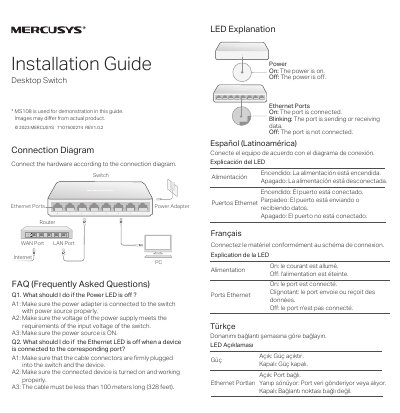
The MERCUSYS MS108 Installation Guide shows how to connect the desktop switch according to the connection diagram. It explains the Power LED and Ethernet port LEDs, including on, blinking, and off states, and answers common questions about power and Ethernet LED issues.
The guide also contains safety information, an explanation of symbols on the product label, recycling notes, UK and EU declarations of conformity, a BSMI notice, and a restricted-substances table. It lists technical support and user-guide information at http://www.mercusys.com/en/support.
| Operating temperature | 0°C to 40°C |
|---|---|
| Maximum cable length | Less than 100 meters (328 feet) |
| Indoor use | For indoor use only |
| Equipment class | Class II equipment |
Check that the cable connectors are firmly plugged into the switch and device, the connected device is on and working, and the cable is less than 100 meters (328 feet).
The corresponding port is sending or receiving data.
Visit http://www.mercusys.com/en/support for technical support, the user guide, and more information.