
This guide covers installation, pairing, web management setup, and troubleshooting for the Mercury MWB201S wireless bridge kit.
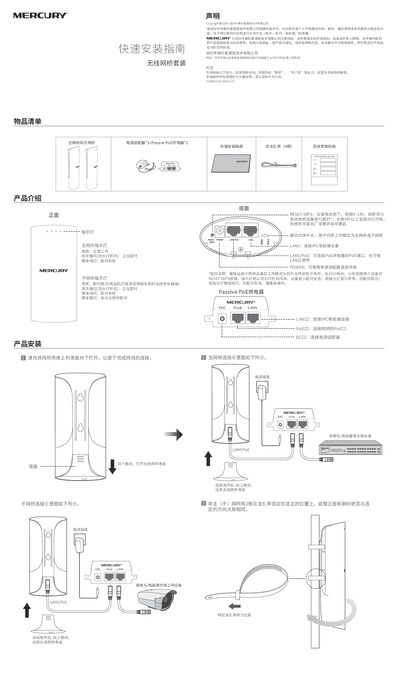
The document provides a quick installation guide for the Mercury MWB201S wireless bridge kit. It details how to mount the main and sub bridges using nylon ties, connect power via adapters or Passive PoE, and physically pair the devices by pressing the RESET/WPS buttons simultaneously within 15 minutes. This manual is written in Chinese.
| Default IP Address (Main Bridge) | 192.168.1.251 |
|---|---|
| Default IP Address (Sub Bridge) | 192.168.1.252 |
| Default Subnet Mask | 255.255.255.0 |
| Default Gateway | 192.168.1.1 |
Ensure both devices are powered on, then short-press the RESET/WPS buttons on both units simultaneously within 15 minutes until the LEDs flash in sequence.
Press and hold the RESET/WPS button for more than 3 seconds while the device is powered on until the indicator flashes.
The device supports IE 8.0 or later, the latest version of Firefox, and the latest version of Chrome.
The power adapter has a replacement guarantee period of one year.