
Mercury MIAP300 Wireless Panel AP Quick Installation Guide

Quick installation guide for the Mercury MIAP300 wireless panel AP, covering installation steps, FIT/FAT mode switching, and management interface login.
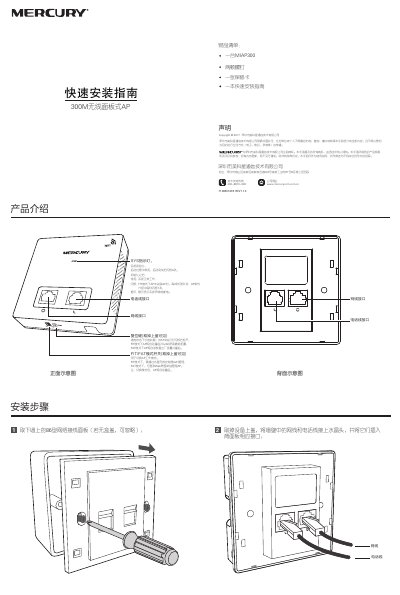

Mercury MIAP300 Wireless Panel AP Quick Installation Guide - cover page
Brand
Mercury
Category
Other Electronics
Document type
Quick Start Guide
Language
Chinese
Pages
2
File format
PDF
File size
1009 KB
Published
21 October, 2026
Updated
21 October, 2026
Model
MIAP300
MD5 checksum
D9E74F5FA0DB1AC3DE3431482ABFBA76

About this manual

This document is a quick installation guide for the Mercury MIAP300 wireless panel access point (AP). It provides instructions for physical installation, including connecting network and telephone cables to the back panel and securing the unit to a wall box. The guide also details how to switch between FIT and FAT operating modes using a physical switch on the device. This manual is written in Chinese.

What's inside

  • Product Introduction
  • Installation Steps
  • FIT/FAT Mode Switch
  • Reset Button
  • FAT Mode Application
  • FIT Mode Application

Frequently asked questions

What is the default IP address for the Mercury MIAP300 when in FAT mode?

The default IP address for the device is 192.168.1.254.

How does the SYS indicator light behave when the AP is initializing?

During initialization, the light stays on while starting and then flashes four times after completion.

What happens to the AP when the mode switch is changed from FIT to FAT?

The AP will automatically restart after the mode is switched.

Download PDF (1009 KB)

More Mercury Manuals


View all Mercury manuals →