
Maxim MAX115 Evaluation System User Manual covers EV kit setup, Windows software operation, data logging, sampling, and FFT tools.
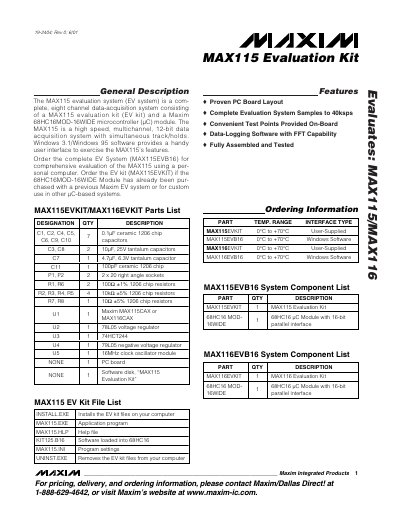
The Maxim MAX115 evaluation system is an eight-channel data-acquisition system made up of a MAX115 evaluation kit and a Maxim 68HC16MOD-16WIDE microcontroller module. The MAX115 is described as a high-speed, multichannel, 12-bit data-acquisition system with simultaneous track/holds.
This manual covers setup of the EV system, stand-alone EV kit connections, Windows 3.1/Windows 95 software installation, and software tools such as Scan Tool, One-Shot Read Tool, Power Cycling Tool, Sampling Tool, and FFT Tool.
| Channels | Eight-channel data-acquisition system |
|---|---|
| Resolution and acquisition type | 12-bit data-acquisition system with simultaneous track/holds |
| Sampling rate | Samples to 40ksps |
| Software platform | Windows 3.1/Windows 95 software |
| EV system power supply | +13V to +20V DC |
| Stand-alone EV kit power supplies | ±8VDC minimum, ±20VDC maximum |
| Software throughput | 40ksps with one channel; 26ksps with four channels |
| Low-speed data logging rate | Up to ten samples per second |
| Clock oscillator | 16MHz clock oscillator module |
It consists of a MAX115 evaluation kit and a Maxim 68HC16MOD-16WIDE microcontroller module.
The MAX115/MAX116 EV systems operate from a user-supplied +13V to +20V DC power supply.
Align the two 40-pin headers of the MAX115 EV kit with the two 40-pin connectors of the module, then press the boards together.
It displays the spectral content of data collected with the high-speed sampling tool.