
This guide provides instructions for installing, configuring, and using the LS LS6302 scanner, including PC connection, resetting settings, and programming…
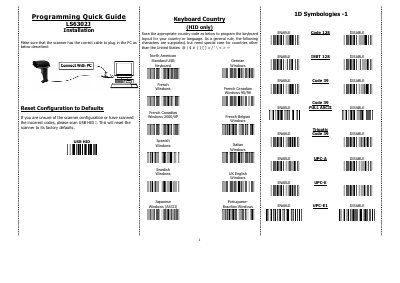
This document serves as a programming quick guide for the LS LS6302 scanner. It details the necessary steps to ensure correct cable connection to a PC and explains how to reset the scanner to factory defaults if configuration issues arise. The guide also covers how to program the keyboard layout for specific countries or languages by scanning the appropriate country code. This manual is written in Chinese.
Scan the USB HID code to reset the scanner to its factory defaults.