
Key facts
- Manuals
- 3
- Categories
- 1
- Languages
- ZH
- Last added
- 2026-09-30
Featured LS manuals
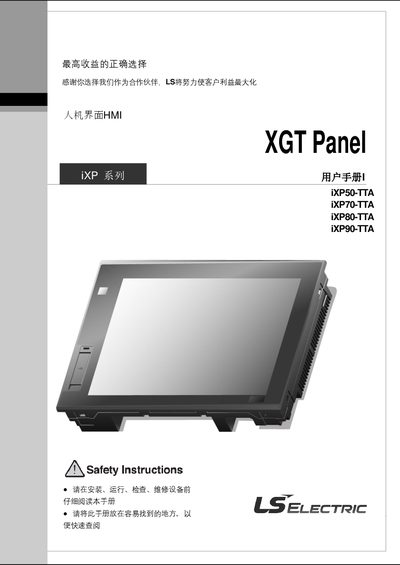
LS iXP Series HMI User Manual
This manual provides detailed information for the LS iXP series Human‑Machine Interface (HMI) panels, including safety precautions, system configuration, wiring, and maintenance procedures. It is intended for installers, technicians and end‑users who need to set up and operate the iXP50‑TTA, iXP70‑TTA, iXP80‑TTA and iXP90‑TTA models.
The document is organized into chapters such as Overview, System Settings, Diagnostic Programs, PLC connection status, storage functions, software updates, installation and wiring, EMC certification, troubleshooting, dimensions, and warranty policy. Each section contains step‑by‑step instructions, tables of specifications and safety warnings. This manual is written in Chinese.
Covers: Overview · System Configuration · Standard Specification · System Settings · Diagnostic Procedures · PLC Connection Status
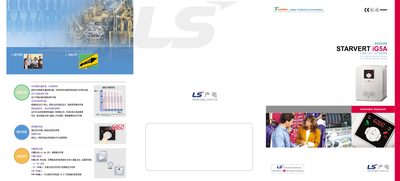
LS STARVERT iG5A Variable Frequency Drive Manual
The LS STARVERT iG5A is an intelligent variable frequency drive offering sensor‑less vector control, high‑speed response and built‑in communication interfaces. It supports three‑phase input voltages of 200‑230 V or 380‑460 V and provides automatic carrier‑frequency adjustment based on temperature.
The manual describes the input/output terminals, analog and digital I/O ranges, cooling‑fan control, leakage‑protection, and various operating modes such as digital and analog set‑points. It also outlines protection functions, physical structure, and recommended installation practices. This manual is written in Chinese.
Covers: Product Overview · Input/Output Power and Terminals · Control Settings · Analog and Digital I/O · Protection Functions · Cooling Fan Control
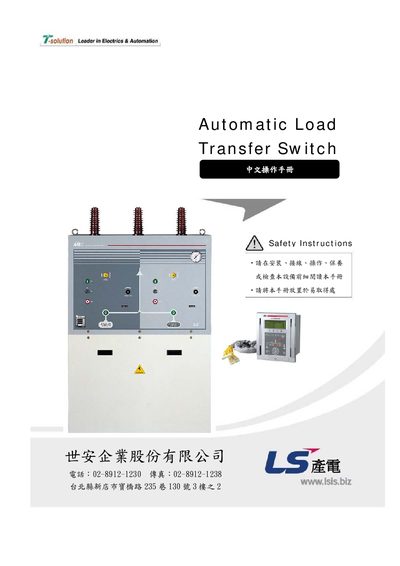
LS ALTS72 Automatic Load Transfer Switch User Manual
This manual explains the safety symbols (DANGER, WARNING, CAUTION) and required precautions for handling the ALTS72 load transfer switch. It emphasizes that installation must be performed by a qualified electrician to avoid grounding faults, short circuits, or fire hazards.
The document also details installation steps, wiring diagrams, environmental limits, and functional specifications such as switching time, rated short‑time current, and monitoring features. Proper testing before energizing the unit and regular maintenance procedures are described to ensure reliable operation. This manual is written in Chinese.
Covers: Safety Instructions · Installation Guidelines · Wiring Diagram · Operation · Specifications · Environmental Conditions
Latest LS manuals
LS iXP Series HMI User Manual
User Manual 124 pages · 3.2 MB · ZHUser manual for LS iXP series HMI panels covering safety, installation, configuration, diagnostics and maintenance.
LS STARVERT iG5A Variable Frequency Drive Manual
User Manual 2 pages · 1.4 MB · ZHUser manual for the LS STARVERT iG5A variable frequency drive, covering features, wiring, control and protection functions.
LS ALTS72 Automatic Load Transfer Switch User Manual
User Manual 72 pages · 3.9 MB · ZHThe LS ALTS72 Automatic Load Transfer Switch user manual provides safety instructions, installation guidelines, and operation procedures in Chinese.
Which document do I need?
User Manual
Day-to-day operation, settings and troubleshooting. Start here if the product is already set up.
Questions answered in LS manuals
What voltage should be used for the iXP50‑TTA model?
The iXP50‑TTA model operates on DC 24 V.
How should the power cable be sized for the HMI panel?
Use a power cable with a cross‑section of 1.5 mm² to 2.5 mm² (AWG16‑12) and keep it short between the power source and the panel.
What input voltage ranges does the STARVERT iG5A support?
It accepts three‑phase 200‑230 V or 380‑460 V input, each with a tolerance of +10% / –15%.
Does the iG5A provide sensor‑less vector control?
Yes, the drive includes a sensor‑less vector control function for high‑speed and torque performance.
Who is authorized to install the ALTS72?
Installation must be performed by a qualified electrician.
What do the safety symbols DANGER, WARNING and CAUTION indicate?
DANGER indicates possible death or serious injury, WARNING indicates a high risk of death or serious injury, and CAUTION indicates a risk of injury or property damage.