
Instruction manual for the Klein Tools ET310 digital circuit breaker finder, covering wiring checks, GFCI testing, breaker finding, and maintenance.
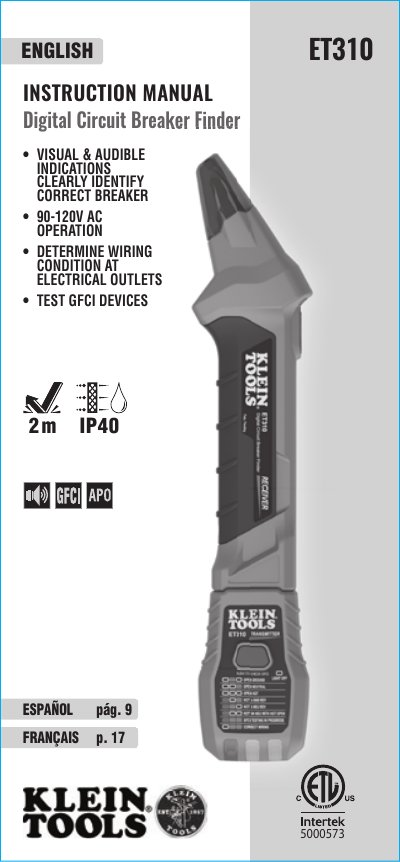
The Klein Tools ET310 is a digital circuit breaker finder used to locate the correct circuit breaker in a panel to which an electrical outlet or fixture is connected. The transmitter connects to an electrical outlet or fixture, while the receiver scans breakers in the panel.
The manual covers power on and off, wiring condition checks, GFCI testing, finding circuit breakers, connecting to light sockets or bare wires with optional accessories, battery replacement, cleaning, and storage. It also lists operating voltage, temperature, dimensions, weight, battery, auto-power off, standards, drop protection, and ingress protection.
| Operating Voltage | 90V to 120V AC, 50/60Hz |
|---|---|
| Operating Altitude | 6562 ft. (2000m) |
| Relative Humidity | <90% non-condensing |
| Operating Temp | 32° to 122°F (0° to 50°C) |
| Storage Temp | -4° to 122°F (-20° to 50°C) |
| Dimensions | 10.96" x 2.16" x 1.39" (278 x 55 x 35 mm) |
| Weight | 7.2 oz. (204 g) |
| Battery | 1 x 9V Alkaline (included) |
| Auto-Power Off | Following 3 minutes of inactivity |
| Standards | Conforms to UL STD 61010-1, 61010-2-030 1436; certified to CSA STD C22.2 # 61010-1, 61010-2-030, 160 |
| Drop Protection | 6.6 ft. (2m) |
| Ingress Protection | IP40 dust resistant |
| Pollution Degree | 2 |
Press the Power button to power on the receiver; press and hold the Power button to power it off.
The receiver automatically powers off.
Insert the transmitter, note the wiring condition, and press the GFCI button; if the device trips, reset it and check for correct wiring, and if the circuit remains energized, consult a qualified electrician.
Power on and reset the receiver away from the panel, scan all breakers once while ignoring indications, then scan again; a continuous beep indicates the correct breaker.