
User manual for Klein Tools VDV500-063 Toner-Pro, covering operation, testing, maintenance, and safety.
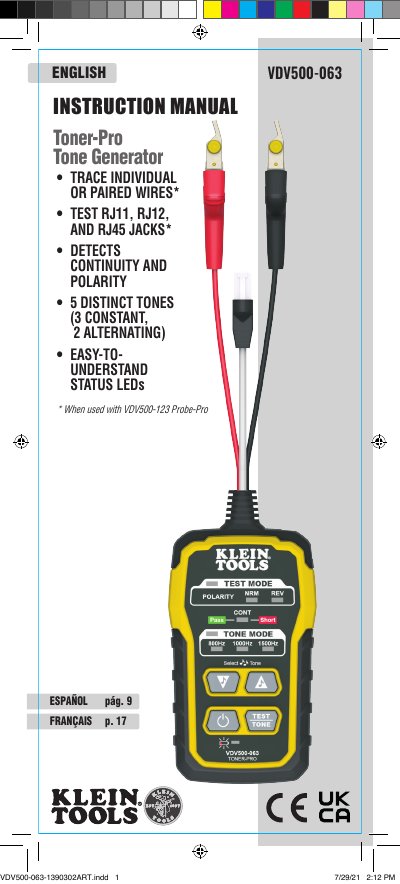
This manual provides instructions for using the Klein Tools VDV500-063 Toner-Pro to trace and identify wires. It details how to select tone frequencies, perform continuity tests, and use the device with the Probe-Pro for locating wires. Safety warnings and maintenance procedures are also included.
The device supports testing RJ11, RJ12, and RJ45 jacks, detects continuity and polarity, and features five distinct tones. Specifications include operating temperature, humidity, dimensions, and battery life. The manual also covers battery replacement, cleaning, storage, and disposal guidelines.
| Operating Altitude | 6562 ft. (2000 m) maximum |
|---|---|
| Relative Humidity | 10% – 90% non-condensing |
| Operating Temperature | 14° to 122°F (-10° to 50°C) |
| Storage Temperature | -4° to 140°F (-20° to 60°C) |
| Dimensions | 2.5" x 5" x 1" (64 x 127 x 25 mm) |
| Weight | 7.4 oz. (210 g) including batteries |
| Battery Type | 4 x 1.5V AAA Alkaline |
| Battery Life | Active: 120 hours, Standby/Storage: 3 years |
| Auto-Power Off | After 60 minutes of inactivity |
| Tones | Constant: 800Hz, 1000Hz, 1500Hz; Alternating: 800Hz/1000Hz, 1000Hz/1500Hz |
| Tone Power | 8dBm |
| Continuity Indication | Less than 10kΩ |
| Voltage Protection | Test Mode: 60V, Tone Mode: 20V through external 600Ω |
Use the Tone Mode Up and Tone Mode Down selector buttons to change the frequency. The Tone Frequency Indicators will display the selected frequency.
The "CONT" indicator illuminates green to indicate a successful continuity test (wires are close and conductive), or red to indicate a short circuit (less than 10kΩ resistance).
Connect the red and black ABN Test Clips to the two wires of the pair. Turn on the device, check the "CONT" indicator, select a tone, and use the Probe-Pro to scan the wires at the far end.
In Test Mode, the maximum voltage is 60V. In Continuity Mode, it is 20V through an external 600Ω resistor.