
Key facts
- Manuals
- 3
- Languages
- EN
- Last added
- 2026-10-30
Featured Klein Tools manuals
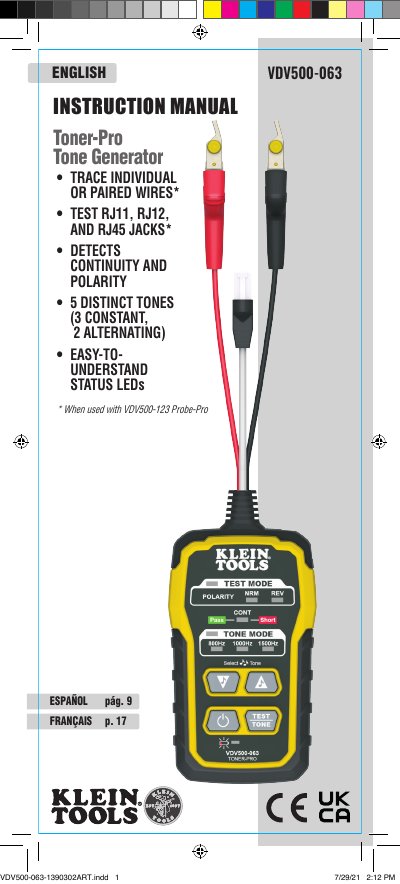
Klein Tools VDV500-063 Toner-Pro User Manual
This manual provides instructions for using the Klein Tools VDV500-063 Toner-Pro to trace and identify wires. It details how to select tone frequencies, perform continuity tests, and use the device with the Probe-Pro for locating wires. Safety warnings and maintenance procedures are also included.
The device supports testing RJ11, RJ12, and RJ45 jacks, detects continuity and polarity, and features five distinct tones. Specifications include operating temperature, humidity, dimensions, and battery life. The manual also covers battery replacement, cleaning, storage, and disposal guidelines.
Covers: Operating Instructions · Continuity Test · Tone Frequency Selection · Tracing Paired Wires · Tracing Non-Paired Wires · RJ11/RJ12/RJ45 Testing
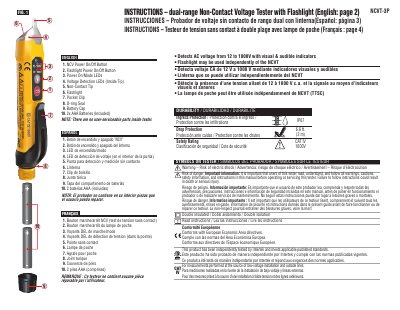
Klein Tools NCVT-3P Dual-Range Non-Contact Voltage Tester User Manual
The Klein Tools NCVT-3P is a handheld device designed to detect AC voltage from 12V to 1000V using visual and audible indicators. It features two distinct testing modes: Mode 1 for detecting voltages between 70V and 1000V, and Mode 2 for higher sensitivity detection ranging from 12V to 1000V. The device also includes an integrated flashlight that can be used independently of the voltage testing function.
Covers: Warnings · Operating Instructions · Selecting Voltage Testing Mode · Cleaning · Battery Replacement · Function Buttons
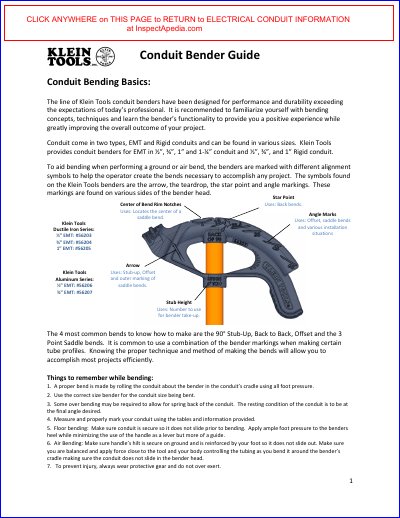
Klein Tools Conduit Bender Guide
This document serves as a guide for the Klein Tools line of conduit benders, which are designed for performance and durability. It covers the basics of bending EMT and rigid conduits in sizes ranging from ½" to 1-¼". The guide explains the specific markings found on the bender heads, such as the arrow, teardrop, star point, and angle marks, and how to use them for various installation situations.
Covers: Conduit Bender Basics · 90° Stub-Up Bend · Back to Back Bends · Offset Bends · Bender Markings · Safety Precautions
Latest Klein Tools manuals
Klein Tools VDV500-063 Toner-Pro User Manual
User Manual 24 pages · 3.3 MB · ENUser manual for Klein Tools VDV500-063 Toner-Pro, covering operation, testing, maintenance, and safety.
Klein Tools NCVT-3P Dual-Range Non-Contact Voltage Tester User Manual
User Manual 4 pages · 662 KB · ENThis user manual provides operating instructions, safety warnings, and specifications for the Klein Tools NCVT-3P dual-range non-contact voltage tester with…
Klein Tools Conduit Bender Guide
User Manual 12 pages · 5 MB · ENA guide for using Klein Tools conduit benders to perform 90° stub-up, back-to-back, offset, and saddle bends on EMT and rigid conduit.
Which document do I need?
User Manual
Day-to-day operation, settings and troubleshooting. Start here if the product is already set up.
Questions answered in Klein Tools manuals
How do I select a tone frequency on the Toner-Pro?
Use the Tone Mode Up and Tone Mode Down selector buttons to change the frequency. The Tone Frequency Indicators will display the selected frequency.
What does the "CONT" indicator mean?
The "CONT" indicator illuminates green to indicate a successful continuity test (wires are close and conductive), or red to indicate a short circuit (less than 10kΩ resistance).
What are the two voltage testing modes?
Mode 1 detects voltages from 70 to 1000V AC, while Mode 2 detects voltages from 12 to 1000V AC.
From: Klein Tools NCVT-3P Dual-Range Non-Contact Voltage Tester User Manual
How do I activate silent operation?
Press and hold the NCV Power-ON button for more than 2 seconds.
From: Klein Tools NCVT-3P Dual-Range Non-Contact Voltage Tester User Manual
What are the most common conduit bends?
The four most common bends are the 90° Stub-Up, Back to Back, Offset, and the 3 Point Saddle bends.
What safety gear is required when bending conduit?
Users must always wear protective gear and should not over exert themselves to prevent injury.