
Honor R04A0008 Router User Manual

This manual provides quick start setup, configuration instructions, troubleshooting for the Honor R04A0008 router, and warranty information.
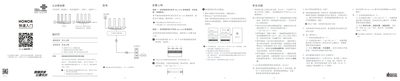

Honor R04A0008 Router User Manual - cover page
Brand
honor
Category
Router
Document type
User Manual
Language
Chinese
Pages
2
File format
PDF
File size
1.4 MB
Published
15 October, 2026
Updated
15 October, 2026
MD5 checksum
A9ED147EE5B38E00E250357622C2357F

About this manual

The Honor R04A0008 is a wireless router designed to provide internet access. This user manual guides you through connecting the device via power and network cables, configuring Wi-Fi settings using the 'Huiyi WoJia' app or a web browser at 192.168.101.1, and managing network modes such as wo-Link and Honor Mesh. This manual is written in Chinese.

What's inside

  • Quick Start
  • Setting Up Internet
  • Common Questions
  • Resetting Factory Defaults
  • Product Overview
  • Indicators and Buttons
  • Safety Precautions
  • Warranty Information

Frequently asked questions

What does a solid green light on the router indicate?

A solid green light indicates that the router is ready to access the internet.

How long must I press the RESET hole to restore factory settings?

You must press the RESET hole for more than 2 seconds until the indicator light goes out.

What is the operating temperature range for this device?

The device should be used within a temperature range of 0°C to 40°C.

Download PDF (1.4 MB)

More honor Manuals


View all honor manuals →