
This user guide covers the installation, configuration, and troubleshooting of the Honor R04A0006 router, including Wi-Fi setup and factory reset instructions.
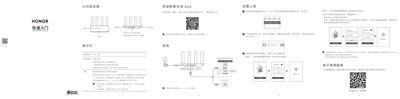
The Honor R04A0006 is a wireless router designed for home networking. This manual provides step-by-step instructions on connecting the device to power and an internet source (modem), configuring the network via the 'Smart Life' app or web browser, and utilizing features like dual-band optimization. This manual is written in Chinese.
Press and hold the RESET hole with a pointed object for more than 2 seconds until the indicator light goes out, then wait for it to restart.
The router should be used in a temperature range of 0°C to 40°C.
You must press the RESET hole for more than 2 seconds until the indicator light goes out.
The product has a warranty period of 12 months from the date of purchase.