
Key facts
- Manuals
- 1
- Languages
- ZH
- Last added
- 2026-10-12
Featured honor manuals
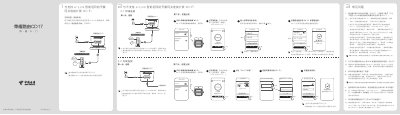
Honor CD17 Router Quick Start Guide
This document serves as a quick start guide for the Honor CD17 router. It provides step-by-step instructions for connecting the device to an existing network via e-Link or standard wired connections, as well as setting up wireless networks without a gateway. The guide covers configuring Wi-Fi names and passwords, enabling dual-band optimization, and accessing the management interface. This manual is written in Chinese.
Covers: Step 1: Connection · Step 2: Set Up Internet Access · Troubleshooting · WPS Pairing · Factory Reset · Firmware Upgrade
Latest honor manuals
Honor CD17 Router Quick Start Guide
Quick Start Guide 2 pages · 1.2 MB · ZHA quick start guide for setting up and using the Honor CD17 router, covering connection methods, Wi-Fi configuration, troubleshooting, and warranty information.
Which document do I need?
Quick Start Guide
The shortest path to a working setup, usually only a few pages.
Questions answered in honor manuals
What does a red constant light on the router indicate?
A red constant light indicates that the network is not connected, and you should refer to the 'Set Up Internet' section.
What does a green constant light on the router indicate?
A green constant light indicates that the device is ready to access the internet.